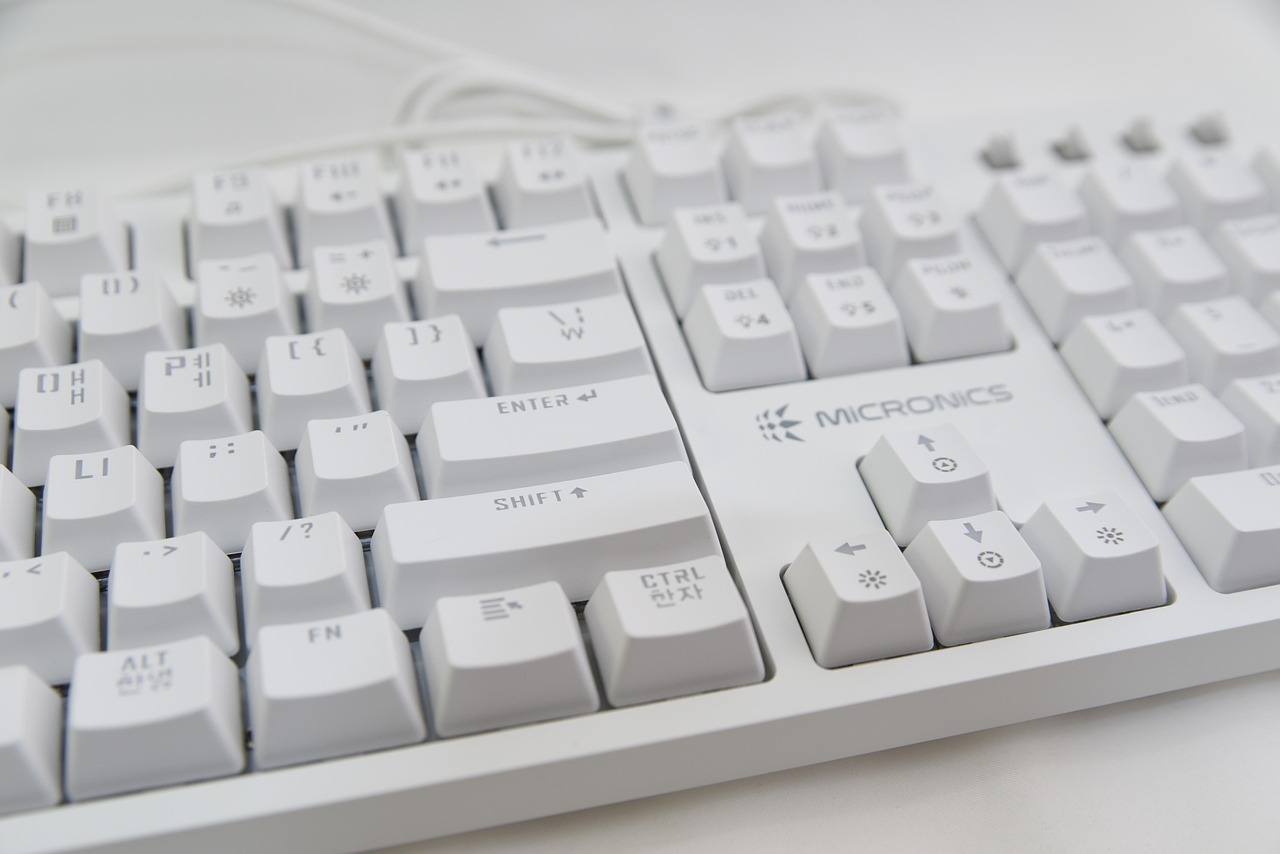
A smaller keyboard feels liberating—until one missing key interrupts a familiar shortcut.
A laptop bag closes more easily and a mouse gains precious room when the board shrinks. The trade-off appears in the first rushed spreadsheet edit, code compile, or game menu: which commands still have dedicated keys?
A 60% board removes the function row, navigation cluster, and numpad; their jobs move to an Fn layer. That is excellent for players who value a centred mouse position and use a tight set of controls. A 75% layout keeps F-keys, arrows, and a compact navigation column within immediate reach, making it far less disruptive for work that relies on shortcuts, debugging, or frequent cursor movement. The real decision is not 15 percentage points of desk space. It is whether a key can become a two-key chord without breaking the flow.
- A 75% board typically retains about 80–84 keys; a 60% usually has 61–64.
- Magnetic 60% boards can remap layers extensively, but remapping does not make an absent key physically immediate.


What disappears—and what comes back
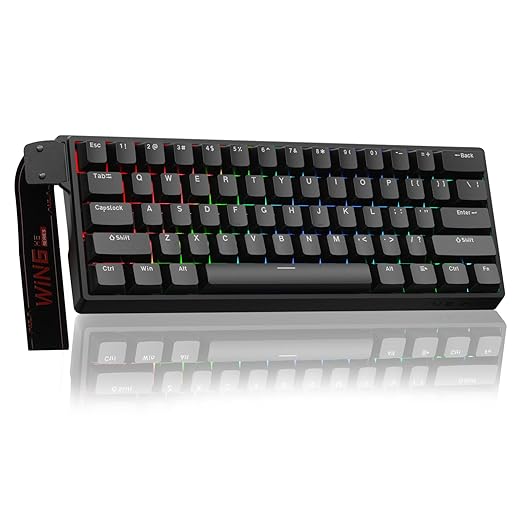
A typical 60% keeps the alphanumeric block, number row, modifiers, and often the arrow functions—but not necessarily physical arrow keys. It drops the function row, dedicated navigation cluster, and numpad. F1–F12, Delete, Home, End, Page Up, and Page Down move to an Fn layer; on some boards, so do arrows.
A 75% restores the F-row and dedicated arrows, then fits a condensed navigation column alongside them. That makes the AULA F75 Pro and AJAZZ AK820 feel far less compromised for spreadsheets, code editors, and desktop shortcuts, while still omitting the numpad. The AULA WIN60 HE instead leaves more mouse room for rapid game inputs, accepting layer-dependent utility commands.
The catch: 75% is not one fixed layout. One board may provide Delete, Home, End, PgUp, and PgDn as physical keys; another may offer only Delete and a knob, with the rest layered. Before buying, compare the layout details worth checking before purchase against the commands used every day—especially BIOS keys, screen capture, and text-editing shortcuts.
Fn-layer design matters as much as key count. Clear front-legends, sensible right-hand placement, and programmable remaps turn a missing key into a minor detour; obscure layers turn it into friction.
Product photos and layout diagrams reveal more than “60%” or “75%.” Confirm whether arrows and Del/Home/End/PgUp/PgDn are physical, layered, or remappable.
A layer is not the same as a key
A missing key is not necessarily unavailable. On a 60%, Fn layers can produce F1–F12, arrows, Home/End, and media commands from ordinary keys. For occasional use—changing volume, using F5 in a browser, or entering a rare menu shortcut—that is usually painless. Muscle memory adapts quickly when the second function is predictable.
The friction appears when a command is repeated, time-sensitive, or uses several modifiers. Fn plus a number is less immediate than a dedicated F-key; Fn plus arrows makes text selection with Ctrl/Shift more awkward; software with F-key-heavy bindings can turn routine actions into two-hand chords. Competitive players may accept this for the mouse room of a 60%, while spreadsheet users, developers, and editors generally benefit from the 75%’s direct F-row and arrows.
The numpad is a separate decision. Neither layout includes one, so anyone entering columns of figures should consider a separate pad or a full-size board. This is the practical compact-layout versus numpad trade-off: layers replace occasional commands well, but they do not make rapid numeric entry equally efficient.
If a missing command is used more than a few times per hour, a dedicated key usually earns its desk space.
|
Wireless 75% pick
AULA F75 Pro Tri-Mode Wireless Mechanical Keyboard
|
VS |
Competitive 60% pick
AULA WIN60 HE 60% Magnetic Gaming Keyboard
|
|---|---|---|
|
2
|
Mouse freedom |
3
|
|
3
|
Work shortcuts |
1
|
|
Mixed play
|
Gaming focus |
FPS focused
|
|
Tri-mode wireless
|
Connection |
USB-C wired
|
|
Volume knob
|
Standout control |
Rapid trigger
|
| See picks | See picks |
Choose by what happens between matches
A 60% earns its place when a low-sensitivity player needs the keyboard pushed far aside for broad mouse sweeps, or when a board must travel easily. Its narrow width can also keep the mousing arm closer to the body—a meaningful ergonomic gain on a cramped desk.
That advantage weakens when the missing controls interrupt the day. Programmers, spreadsheet users, editors, and anyone living in IDE or Adobe shortcuts typically benefit from a 75%: the F-row and arrows remain one press away, without the reach of a full-size board. A 75% still leaves substantially more mouse room than a TKL.
Remapping can make a 60% workable, but only for commands that are genuinely occasional. Put media, lighting, or a rarely used navigation command on a layer; do not bury repeated actions behind Fn. Firmware remapping is strongest when it creates thumb-accessible shortcuts rather than asking fingers to memorize compromises.
For competitive FPS play, the wired AULA WIN60 HE pairs the smaller footprint with magnetic-switch rapid trigger and an 8,000 Hz polling claim. For mixed work and play, the wireless AULA F75 Pro adds dedicated F-keys, arrows, a knob, and multi-device connection. Choose 60% only when every omitted control is low-priority or comfortably remapped.
AULA F75 Pro for desk-to-device routines
Best for flexible connectivity and customizable 75% layouts
The AULA F75 Pro is a 75% mechanical board aimed at desks that alternate between a main PC, a work laptop, and a tablet. Its dedicated function row, arrow cluster, and compact navigation column keep common daily commands close at hand without returning to a full-size footprint.
Bluetooth 5.0, 2.4 GHz wireless, and USB-C wired operation suit a rotating-device setup, with switching supported through shortcuts and a side control. The numpad remains absent, so regular spreadsheet entry still calls for a separate pad or a larger keyboard. Confirm the listing’s exact regional layout before ordering: the cited version is QWERTZ, not the common US ANSI arrangement.
- Dedicated F-row and arrows
- Tri-mode connection for five devices
- Hot-swappable 3- and 5-pin support
- Volume knob and 4,000 mAh battery
- No dedicated numpad
- Navigation-key placement varies by layout
- Listed version uses QWERTZ
- Wireless switching is less immediate than separate boards
The F75 Pro makes the strongest case for 75% as an everyday compact layout: it retains the keys that interrupt a 60% workflow most often, while adding flexible wired and wireless use. It is not a substitute for a numpad for accounting or dense data entry. Layout variants deserve careful checking before purchase, especially for key shapes, legends, and Enter-key geometry.
AULA WIN60 HE for mouse-room-first play
Top choice for fast FPS gaming performance
The WIN60 HE is a wired 60% board built around Hall-effect magnetic switches, rapid-trigger behavior, and an 8,000Hz polling claim. It makes the strongest case where a low-sensitivity FPS setup needs every spare inch for broad mouse sweeps, and where movement inputs matter more than menus, spreadsheets, or function-key shortcuts.
- Exceptional mouse space
- Hall-effect rapid trigger
- 8,000Hz polling claim
- Programmable compact layout
- No dedicated arrows or F-row
- Layers slow non-gaming commands
- Wired Windows-focused setup
- Remapping takes planning
For competitive FPS play, the WIN60 HE offers a persuasive combination of desk space and magnetic-switch tuning potential at around $40. Rapid trigger is most meaningful when movement timing is the priority. For broader PC use, the purchase only makes sense with a deliberate remap plan: place arrows, media, navigation, and frequently used shortcuts on layers that remain genuinely usable.
AJAZZ AK820: 75% practicality without wireless extras
A practical compact keyboard with sound-dampened typing
At roughly $40, the AJAZZ AK820 takes the uncomplicated route: an 82-key 75% board that stays connected by USB-C. It suits a fixed PC or laptop desk where dedicated function keys and arrows matter more than pairing profiles or switching between devices.
The layout asks far less muscle-memory retraining than a 60%, while still clearing meaningful space beside the mouse. Hot-swappable switches also leave room to change the feel later without replacing the keyboard.
- Dedicated F-row and arrows reduce layer reliance
- USB-C plug-and-play keeps setup simple
- Hot-swap support accepts 3-pin and 5-pin switches
- Gasket mount and five-layer damping target a softer, less hollow sound
- Low entry price for an 82-key mechanical board
- Wired-only connection keeps the keyboard tethered
- No numpad for frequent numeric entry
- Linear red switches may not suit tactile-key fans
- Single-color backlighting is less customizable than RGB
The AK820 is the easy recommendation when 75% convenience matters more than wireless freedom. Its cable is a non-issue on one permanent desk, and the preserved F-row and arrows make the move from a larger board feel natural. Buyers who enter numbers all day should still budget desk space for a separate numpad—or choose a larger layout.
Choose by the keys that cannot wait
- Count not only key presses, but interruptions: a layer is least costly when the command is rare and predictable.
- Check the exact physical layout before buying; 75% navigation clusters and regional legends vary.
For one normal week, note every key used outside the alphanumeric block. Mark each command as layer-tolerant when it is occasional—media control, a seldom-used function key, an infrequent shortcut—or instant-access when it interrupts flow: arrows for editing, F-keys in software, navigation, or game binds.
If the instant-access list is short, a 60% such as the WIN60 HE earns its space savings. If it keeps growing, a 75% is the calmer daily choice; the F75 Pro and AK820 preserve more of those reflexive controls without restoring a numpad.