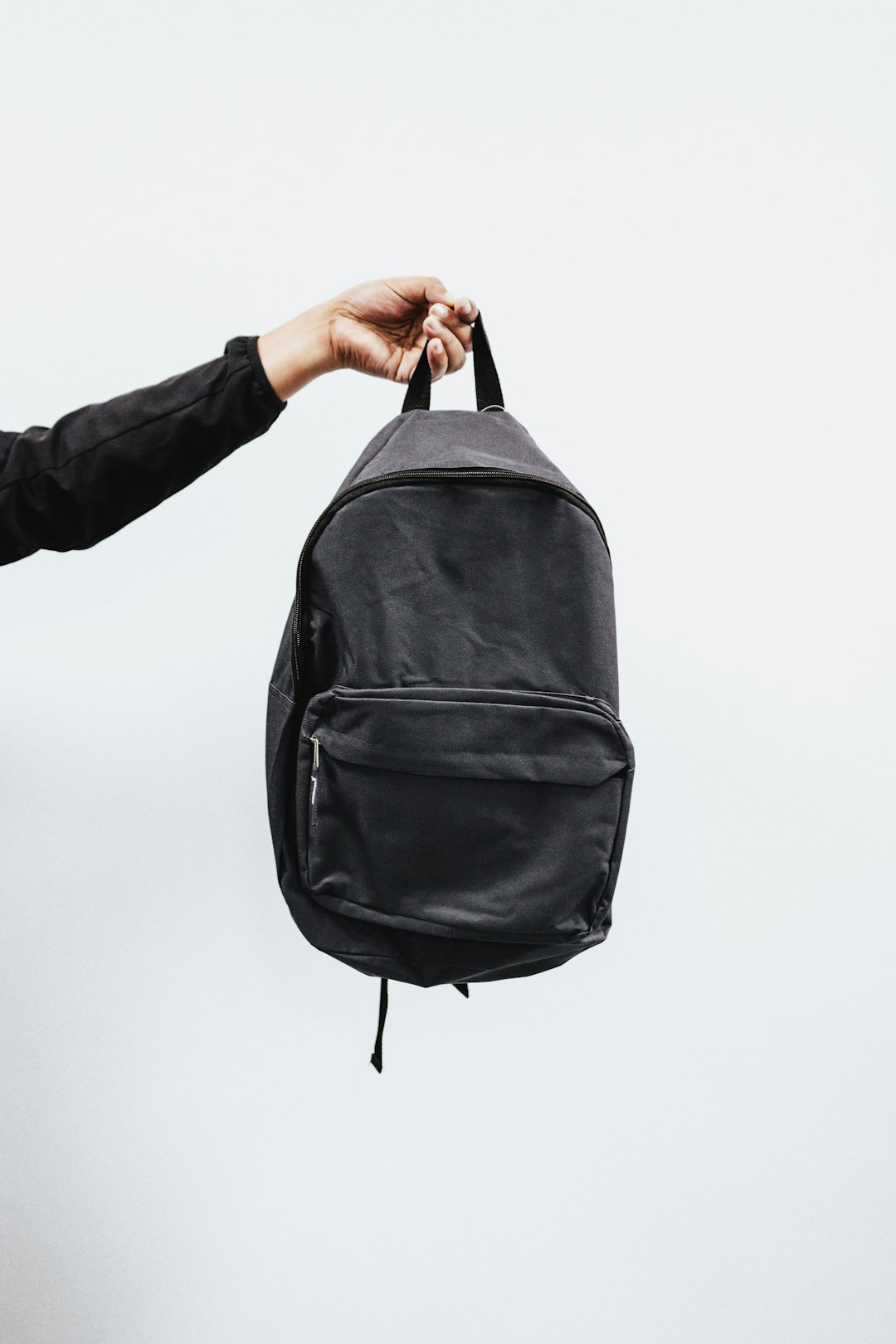
A commuter bag is only as weatherproof as its most exposed opening.
The train is pulling in, rain is bouncing off the platform, and a backpack holding a gaming laptop, charger, headset, and mouse spends ten minutes soaked at shoulder height. That is when a merely wet-looking bag reveals its weak points.
Water-resistant shell fabric helps, but it is not a sealed enclosure. Rain can track through ordinary zipper teeth, wick along stitched strap anchors, and pool beneath a bag set on a slick bike lane or parking-lot pavement. A padded laptop sleeve adds impact protection, not necessarily moisture protection; once water reaches the lining, foam can hold it against the device. For rainy commutes, the meaningful details are a coated or laminated exterior, covered zippers, a reinforced water-shedding base, and construction that keeps the laptop compartment away from the outermost seams. “Water-resistant” is useful; “waterproof” requires proof in the closures and construction.
Three backpacks worth choosing


What protection claims mean in practice
Water-resistant fabric
A DWR-treated polyester or nylon shell sheds a short dash between car and building. Under steady rain, water can eventually wet out the face fabric, adding weight even if the inner coating still delays seepage.
PU-backed fabric
A polyurethane coating is the actual barrier behind many “water-resistant” backpacks. Its performance depends on coating thickness and intact fabric; abrasion at corners and the base gradually reduces protection.
Zipper exposure
Standard coil zippers are the usual weak point in a regular wet walk. A storm flap helps, while reverse-coil or coated zippers resist ingress better—but neither is automatically submersible.
Seam construction
Every stitched panel creates needle holes. Taped or welded seams are what separate true waterproof construction from a bag that merely handles surface rain.
Roll-top and covered closures
A rolled, buckled opening gives rain a long path to travel and is the safest design for prolonged exposure. Wide top flaps and well-overlapped lid closures are the next-best option.
For a short dash, any well-made water-resistant pack is usually sufficient. For a daily wet walk, prioritize covered zippers, a raised or reinforced base, and a laptop sleeve that sits above the bottom panel.
In a prolonged downpour, a rain cover or a dry bag around the laptop remains the sensible safeguard unless the backpack specifically has taped seams and a genuinely water-tight closure. Hard shells protect against impact and splashes, but their zipper tracks and panel joins still decide whether rain reaches the interior.
Gaming kits were assessed as loaded systems, not by a laptop-size label. A safe carry has to accommodate bulky cooling hardware, accessories, rain exposure, and the movement of a real commute.
Screen diagonal says little about chassis width, depth, thickness, raised rear vents, or protective feet. Fit was judged with the power brick, charging cable, and essential peripherals included, since a crowded compartment can press gear into the laptop.
A worthwhile sleeve suspends the laptop above the bag’s base and surrounds it with firm, non-compressing padding. The shell and bottom also need to resist abrasion and damp pavement; zipper garages or covered tracks matter more than a water-repellent fabric claim alone.
Wide straps, a stable back panel, and sensible weight placement prevent a dense gaming load from pulling away from the body. Useful commuter designs also allow the main compartment or quick-access pocket to open while standing, without laying the bag on a wet platform.
Premium 16-inch protection without the bulk
01
Best for protected gaming gear on daily commutes
The Alienware AW5625P is built for the commuter carrying a compact 16-inch gaming laptop, tablet, charger, mouse, and a controlled set of daily extras. Its layout feels purpose-made rather than cavernous: the laptop and tablet get dedicated homes, while Alienware’s sculpted, reflective styling keeps the bag firmly in gaming territory.
This is the polished choice for a train, campus, or office routine where the kit stays relatively lean. It protects the core setup without turning every commute into a large-backpack commitment.
- Dedicated 16-inch laptop and tablet sleeves
- Molded outer shell and top bumper add impact protection
- Chest buckle helps stabilize a loaded bag
- Reflective logo and zipper pulls aid low-light visibility
- Water-resistant construction suits passing showers
- Not a high-capacity option for bulky peripherals or clothing
- Water resistance is not a substitute for sealed seams
- Three external pockets may feel restrictive for accessory-heavy kits
- Sustained rain still calls for a pack cover or waterproof liner
Quick take A notably refined home for a lean 16-inch gaming load, with meaningful device protection and commuter-friendly comfort. Treat its water resistance as a first line of defense, not an all-weather guarantee.
For a compact gaming setup, the AW5625P makes daily carrying feel deliberate rather than overbuilt. Its protective sleeve arrangement, molded exterior elements, and stabilizing chest buckle earn the premium positioning. In ordinary wet commutes it is a strong pick; for a prolonged storm, place electronics in a waterproof liner or add a fitted rain cover.
MATEIN 18-Inch Hard-Shell Gaming Backpack for oversized gaming rigs
Best for oversized laptops and organized gaming gear
The MATEIN is built for the commuter whose laptop is closer to portable workstation than everyday notebook. Its 20 × 14 × 9-inch body, EVA front shield, and deliberately gaming-focused storage make room for an 18.4-inch-class machine alongside a headset, controllers, cooling pad, mouse, cables, and tablet.
It is a more purpose-built alternative to slimmer backpacks designed around 17-inch laptops. Before ordering, the stated screen-size compatibility should be treated only as a starting point: thick 18-inch gaming laptops vary sharply in footprint, rear exhaust depth, and corner shape. Compare the laptop’s actual external dimensions with the compartment, particularly when a protective sleeve is also required.
- EVA front shield adds structure against knocks and compression
- Padded, corner-protected laptop area suits large gaming chassis
- Dedicated spaces for headset, controllers, cooling pad, and small gear
- 180° openings can make airport screening less awkward
- 20 × 14 × 9-inch profile is bulky on crowded trains and buses
- A fully loaded bag can feel wide and cumbersome through tight aisles
- Water-resistant construction is not the same as sealed, stormproof protection
- 18.4-inch claim does not guarantee fit for every thick chassis
In brief A strong capacity-first choice for unusually large gaming laptops. Its protective structure earns the extra space only when the full kit truly travels together.
For an 18-inch-class laptop and a serious accessory stack, the MATEIN offers unusually intentional organization and a protective hard-shell face at an accessible price. The trade-off is physical: it occupies more space at the feet, on a packed platform, and when turning through doors. Its water-resistant rating should handle a dash through rain, but prolonged exposure still calls for a rain cover and careful zipper orientation.
DUSLANG 17-Inch Travel Laptop Backpack for accessory-heavy commutes
Best for budget-minded commuters needing extra storage
At roughly $45, the DUSLANG puts its emphasis on separation rather than armor. Its 17-inch-rated laptop compartment sits alongside a tablet space, a roomy main section, and small-purpose pockets for items that otherwise disappear into a charging-cable tangle.
It suits a 17-inch-class laptop, mouse, charger, power bank, notes, and everyday layers without asking commuters to pack with military precision. The included clear toiletry bag also makes it unusually handy when a work commute turns into an overnight trip. Its water-resistant fabric is appropriate for drizzle and the dash between transit and a building—not for sustained rain or water-sensitive gear carried without additional protection.
- Seven zippered compartments keep laptop, tablet, cables, and small essentials distinct.
- Fits laptops up to 17 inches, with room for daily kit or several days of clothing.
- External mesh pockets accommodate a bottle and compact umbrella.
- Clear toiletry bag adds practical travel value at a modest price.
- Water-resistant fabric and ordinary zippers do not equal sealed rain protection.
- A 17-inch fit claim still requires checking the gaming laptop’s depth and thickness.
- Many compartments can add bulk once each pocket is filled.
- USB charging port is a pass-through feature; a power bank is not included.
Quick take A notably capable low-cost organizer for a large laptop and the accessories around it. Treat its rain resistance as short-exposure insurance, not a reason to leave electronics unprotected in a storm.
The DUSLANG earns its place by making a large everyday load easy to divide and retrieve for comparatively little money. Its practical limit is weather sealing: fabric can shed light rain, but zipper lines and construction are not designed for prolonged exposure. For rainy commutes, a fitted rain cover or internal waterproof laptop sleeve is the sensible upgrade.
-
Measure the computer, not the screen label
Check the chassis width, depth, and thickness against the sleeve’s usable interior dimensions. A “17-inch” notebook can be too wide or too thick for another 17-inch compartment, especially with rear exhaust housings or angular corners.
-
Leave space around hinges and exhausts
Slide the laptop into its padded sleeve without forcing the zipper across the hinge line. Avoid packing a cooling pad, headset, or rigid pouch against the lid; adding protection inside the backpack works best when padding does not create pressure points.
-
Give the power brick its own compartment
Keep the adapter, mains cable, and heavy USB hubs out of the laptop sleeve. Their hard edges can mark a display or concentrate impact force, while separating them also makes the charger easier to reach at a station or office.
-
Put the heaviest kit nearest the back
Place the laptop and power brick against the back panel, with dense items low and centered. Controllers, a mouse, and headset can fill outer organizers, but avoid turning the front pocket into a counterweight that pulls the pack away from the body.
-
Use the reinforced base deliberately
Before setting the bag down, zip every compartment and confirm the base is free of dangling cables. A structured, reinforced bottom keeps electronics raised from shallow puddles and reduces corner impacts, but it is still wiser to use a bench, chair, or dry patch whenever possible.
A snug, balanced load protects the laptop as much as water-resistant fabric does.
Inspect the places rain—and strain—get in
-
Closure geometry
A coated fabric panel cannot compensate for an exposed zipper. The most convincing designs use reverse-coil or water-resistant zips, a substantial storm flap, and zipper garages at both ends; the laptop compartment matters most.
Look forCovered, tight-running closures with protected zipper ends.AvoidWide-tooth zips exposed across the top or down the sides. -
Base and seam exposure
Set the bag on a wet pavement edge in the mind: the base, lower corners, and strap stitching receive the longest soaking. A raised, abrasion-resistant base helps, but truly waterproof construction also needs taped or welded seams.
Look forA reinforced, elevated base and sealed lower seams.AvoidBare fabric underneath and needle holes at load-bearing joins. -
Impact protection is a separate job
Hard shells, foam walls, and suspended laptop sleeves limit shock from a dropped bag; none proves that water cannot enter. A dry interior needs managed seams and openings in addition to a padded device bay.
Look forSuspended padding paired with credible closure and seam protection.AvoidTreating a rigid shell as a waterproof rating. -
Rain-cover and carry test
A cover works only when it reaches below the base and stays clear of shoulder straps, side openings, and the back panel. With the usual charger and headset loaded, check that padded straps, sternum strap, and ventilated back panel keep weight close rather than pulling the bag away from the spine.
Look forA secured cover, covered base, and stable close-to-back load.AvoidA loose cover that leaves the bottom wet and a top-heavy carry.
Build a wet-weather backup system
For a short shower, the Alienware, MATEIN, and DUSLANG packs can keep rain off the kit. In sustained rain, wind-driven spray, or a soaked train platform, treat the backpack as the outer shell of a three-layer system—not as the sole waterproofing measure.
- Backpack: Choose a close-fitting load and keep zipper pulls facing down or under a flap where possible. The MATEIN’s hard shell helps deflect direct spray, but its openings still need protection.
- Rain cover: Fit a correctly sized cover over the fully loaded pack. It must wrap the lower corners and leave no exposed zipper track; a loose cover can funnel water underneath.
- Inner barrier: Put the laptop in a sealed, roll-top dry bag or waterproof sleeve inside its padded compartment. A sleeve protects against the small amount of water that can enter through seams, openings, or a wet back panel.
After each wet commute, remove the laptop, charger, and accessories before storage. Leave every compartment open until dry, wipe grit from zippers, and air the rain cover separately. Reapply durable water-repellent treatment only to clean, dry exterior fabric; it restores water beading, but it cannot seal worn seams or damaged zippers.

Choose for the commute, then close the gaps
- A rain cover must still reach around the pack when it is fully loaded; undersized covers leave the base and side zips exposed.
- A sealed inner laptop sleeve or dry bag adds meaningful protection without relying on a backpack’s coating alone.
For a refined daily carry around a 16-inch machine, the Alienware AW5625P is the strongest pick: protective structure, a cleaner profile, and practical organization without commuter-bag bulk. For an oversized 18-inch-class laptop and a full gaming load, the MATEIN hard-shell earns the nod for capacity and impact resistance. The DUSLANG suits budget-conscious commuters who need numerous accessory pockets and face only occasional drizzle.
Before ordering, compare the laptop’s actual chassis measurements—not its screen size—with the sleeve dimensions. Inspect zipper shielding and the base construction closely. For sustained rain, add a properly sized cover or a sealed inner layer; water-resistant fabric alone is not a safe plan for expensive electronics.