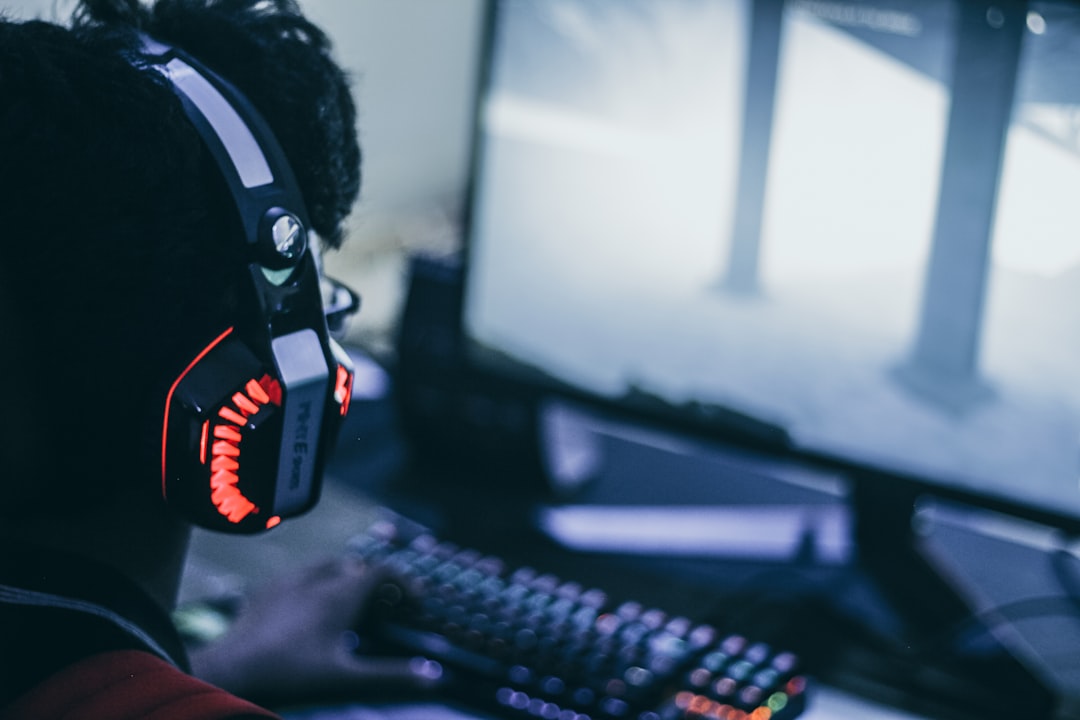
Ear pain during a match is usually a clue, not the price of playing.
Forty minutes into a close round, the sound is still sharp—but the tops of the ears begin to throb, the jaw feels pinned, or one hot spot behind an ear becomes impossible to ignore. Pushing through can turn a mild pressure point into lingering tenderness that makes the next session worse.
The pattern matters. Pain on the outer ear usually points to clamp force, shallow pads, or a seam pressing cartilage. Ache inside the ear may come from heat, moisture, or an irritated ear canal—not necessarily the headset itself. Soreness at the temples or jaw often means the band is loading the head too narrowly, while pain after only 10–20 minutes suggests fit or pad depth; discomfort that builds over hours more often involves heat and compression. A headset should seal around the ear, not squeeze it into submission.
- One-sided pain can reveal a twisted cup, uneven adjustment, glasses arm, or cable-side weight imbalance.
- Redness that persists after removal is a pressure warning; numbness, swelling, discharge, or persistent pain warrants stopping use and seeking medical advice.
- Outer-ear pain Cartilage tenderness usually traces to pad seams, cup edges, or excessive clamping.
- Head pressure Temple and jaw ache often indicates narrow headband geometry or force concentrated above the pads.
- Hot ears Heat, itchiness, and dampness build when pads trap sweat and reduce airflow.
When the headband is doing too much work
Pain on the crown, at the tops of the ears, or just behind them commonly develops when a narrow headband contact area carries too much of the headset’s weight. Foam that has compressed flat, a short headband setting, or a heavy battery/metal frame can turn normal contact into a focused pressure point. The discomfort often appears only after 30–90 minutes because tissue is being compressed continuously.
Aching behind the ears or soreness along both sides of the head more often signals excessive clamp force. Clamp is necessary for stable positioning and a good seal, especially on closed-back sets, but a high-force spring frame can gradually irritate the temporalis area and the attachment points around the ears. Glasses temples add another hard surface and make this effect more pronounced.
Reduce force without making the fit unstable
First, extend the headband one click at a time and center the padded section over the crown rather than placing it forward on the hairline. Confirm that both ear cups sit at the same height; uneven adjustment concentrates load on one side.
For a headset with a conventional spring-steel or plastic yoke, gradual relaxation is safer than forceful bending:
- Place it over a stack of books or its original box, slightly wider than the wearer’s head.
- Leave it for several hours, then test it during a short session.
- Repeat in small increments until it stays put during normal head movement.
Avoid pulling the cups apart by hand, twisting hinges, or overstretching a wireless headset: these can loosen pivots, distort the seal, and create channel imbalance. A thin headband cushion can spread crown load, but it will not solve clamp that is fundamentally too strong.
A well-fitted headset should remain stable when the head turns, without leaving deep, tender pressure marks. For competitive play, slightly firmer clamp may be worthwhile; for long sessions, even pressure is usually the better trade-off.
When the earcups are too shallow
A pinched helix, sore earlobe, or a hot spot on one outer ear often means the ear does not fully fit inside the opening. The pad may be soft and the clamp may be reasonable, yet a narrow oval opening can fold the upper rim of the ear, while insufficient depth lets the ear touch the driver cover.
Check for housing contact
After a short session, inspect where tenderness appears. A sharply localized spot—especially at the concha, upper helix, or earlobe—points to contact with the baffle or driver grille rather than general side pressure. With the headset off, gently press an earcup pad: if the ear would meet a hard surface after only a few millimetres of compression, pad depth is the limiting factor.
Small placement changes can help:
- Slide the band slightly forward or back so the ear sits centrally in the opening.
- Raise or lower one notch; cup angle changes with headband height.
- Rotate swivelling cups to follow the jaw and temple rather than forcing the ear flat.
If repositioning only shifts the sore spot, use deeper replacement pads with a larger inner opening. Match the pad mounting ring and avoid unusually dense aftermarket foam: it may restore depth but increase clamp pressure. A thin fabric driver-cover spacer can prevent grille contact, though it can subtly alter treble and imaging.
Heat, dampness, and itching
A headset that starts comfortably but becomes hot, sticky, itchy, or burning after 20–40 minutes is often creating a humid pocket around the ear rather than applying too much clamp force. Non-breathable protein leather and dense memory foam retain heat and sweat. As pads age, their coating may crack or flake, exposing rough material and trapping more skin oil.
For compatible replacement pads, mesh or velour usually runs cooler than leatherette, although it can reduce isolation and slightly change bass response. Perforated leatherette offers a middle ground. Pad depth and mounting shape still matter: an otherwise comfortable material will not fix an ear that rubs the driver plate.
Clean pads only with the method approved by the headset maker—typically a lightly damp, soft cloth and mild soap where permitted. Avoid soaking foam, harsh disinfectants, fragrances, and improvised cleaners that leave residue. Let pads dry completely before use; moisture held against the skin can intensify irritation.
Stop using pads that are peeling, permanently damp, or causing a burning sensation, and take listening breaks while replacements are sourced. Persistent burning, rash, swelling, or discharge warrants medical advice, particularly when symptoms continue without the headset.
What heat symptoms usually mean
Heat can occur even with a light clamp force.
Sealed pads retain body heat and sweat, especially in warm rooms.
Cooler pads must also match the cup’s depth, opening, and attachment system.
An incompatible pad can create rubbing, poor seal, or unstable fit.
Common fit complications
Can glasses make headset pain worse?
Yes. Temple arms create a narrow pressure ridge beneath the pad, concentrating clamp force against the skin. Thinner, flatter arms or a pad that seals around the arms can reduce the hotspot.
Why does jaw pain appear during a match?
Clenching tightens the temporalis and masseter muscles, so a firm earcup can aggravate already-loaded tissue near the temple and jaw hinge. Loosening the headset slightly and taking a brief jaw-relaxation break can help distinguish muscle strain from pad pressure.
Should both earcups sit at exactly the same height?
Not necessarily. Ear height, glasses position, hairstyles, and head shape are often uneven, so equal-looking adjustments may feel unequal. Each cup should center over its ear without forcing the frame to twist.
When personal features change the fit
A headset can be correctly sized yet still hurt because its force meets a real head, not an average one. Glasses arms, thick hair, braids, clips, and piercings interrupt the pad’s contact surface. Instead of spreading pressure around the ear, the cushion can press a hard edge into the temple, cartilage, or skin.
Remove or reposition one variable at a time for a short test: lift hair clear of the seal, move glasses arms slightly, or avoid contact with a healed piercing. A pain point that disappears quickly identifies the interference more reliably than further tightening or replacing the headset.
Jaw clenching is easy to mistake for ear pain. The temporalis muscle runs across the temple, while the jaw joint sits just ahead of the ear; clamp force can make both feel tender. Uneven cup height or a headband shifted off-center can load one side further, especially if one ear sits slightly higher. The practical target is comfortable, individual alignment—not visual symmetry or a uniformly tight seal.
When discomfort points beyond fit
Exterior fit pain is usually easy to localize: tender skin, a sore jaw hinge, or an aching spot where the pad or headband presses. It generally eases soon after the headset comes off and changes when the cups are repositioned.
A deep ache, fullness, muffled hearing, ringing, or sound sensitivity is different. These symptoms can follow excessive level exposure, even when the headset never feels especially loud. A well-sealed cup can also amplify internal sounds—chewing, footsteps, breathing—through the occlusion effect. ANC may create a pressure-like sensation in some listeners, although it does not actually raise air pressure in the ear.
Two quick checks
First, disable ANC, surround processing, and bass boost. Play spoken dialogue at a deliberately low level for 10 minutes; speech should remain easy to follow without competing with room noise. If symptoms settle at low volume, reduce the usual listening level and take longer quiet breaks.
Next, with no audio playing, switch ANC on and off while seated still. Immediate fullness or nausea only in ANC mode points to an ANC sensitivity; use transparency or ANC-off instead. Symptoms present in every mode deserve more caution than a pad or clamp adjustment.
Stop using the headset if ringing, muffled hearing, fullness, or deep pain occurs. If any of these persist after 24 hours of quiet, arrange assessment with an audiologist or clinician. Sudden hearing loss, severe dizziness, drainage, or one-sided intense pain warrants urgent medical care.
Run a short, controlled comfort test
-
Start with silence for five minutes
Wear the headset powered off, at the usual headband setting, while sitting normally. Pain that appears quickly in the same spot is almost always mechanical: clamp force, crown load, a pad edge, glasses, or a shallow cup.
-
Reposition once, then repeat
Move each cup slightly higher, lower, forward, and back; extend the headband one click if needed. A dramatic change after repositioning points to contact geometry rather than the headset’s total weight.
-
Add low-level audio for 15–20 minutes
Use familiar, non-fatiguing content at a restrained volume. Discomfort that arrives only after sound begins may involve level, bass energy, ANC, or an ear-canal sensitivity—not simply fit.
-
Compare heat and load separately
Pause at the first warm or sore sensation. If the pads feel hot, damp, or itchy before pain develops, heat buildup is leading; if the headset increasingly feels heavy without a hot spot, neck and scalp fatigue are more likely.
-
Test one variable at a time
Do not change pads, EQ, clamp, and seating together. Record onset time and exact location after each trial; that makes an accessory purchase far less speculative.
Stop the test if there is sharp pain, ringing, dizziness, or lingering muffled hearing.
Fast pain is usually a contact problem. A sore temple, crown, or outer ear within minutes calls for fit adjustment or pad geometry changes.
Pain that builds over a session needs a different test. Heat, accumulated load, muscle tension, and audio exposure can take 20–60 minutes to declare themselves. Lowering volume or disabling ANC is a cleaner diagnostic comparison than immediately replacing cushions.
When the headset is simply the wrong shape
-
Clamp that never settles
If soreness returns quickly after careful adjustment and short trials, the frame’s resting force is likely excessive for that head width.
PrioritizeA lighter clamp with broad, flexible yokesPass onA rigid band marketed as “secure” -
Earcups that clear the ear
Replacement pads cannot reliably fix an opening that presses the helix or a cup whose depth lets the driver baffle touch the ear.
PrioritizeDeep oval cups and measured inner dimensionsPass on“Over-ear” claims without cup measurements -
Load spread, not plushness alone
Thick foam helps only when the headband distributes weight across a wide contact area; low mass also reduces neck and jaw fatigue.
PrioritizeA suspended or well-padded wide headbandPass onHeavy sets with a narrow center pad -
Materials that match heat tolerance
Velour, mesh, and breathable fabric release heat better than sealed synthetic leather, though they may leak more sound.
PrioritizeRemovable pads in more than one materialPass onNon-removable, flaking synthetic pads
Stop using the headset and seek clinical assessment for persistent ear pain without pressure, drainage, bleeding, sudden hearing change, spinning dizziness, one-sided ringing, facial weakness, or pain that lasts after the headset is off. These symptoms can reflect an ear or jaw condition rather than a fit problem.
Comfort should remain unremarkable
- A headset that needs constant repositioning is not a successful fit.
- Cup geometry and clamp force matter more than cushion thickness alone.
A well-matched headset spreads load, leaves the outer ear untouched, and stays tolerable as heat builds. Repeated pain after sensible adjustment is useful evidence to replace it, not a reason to endure it.