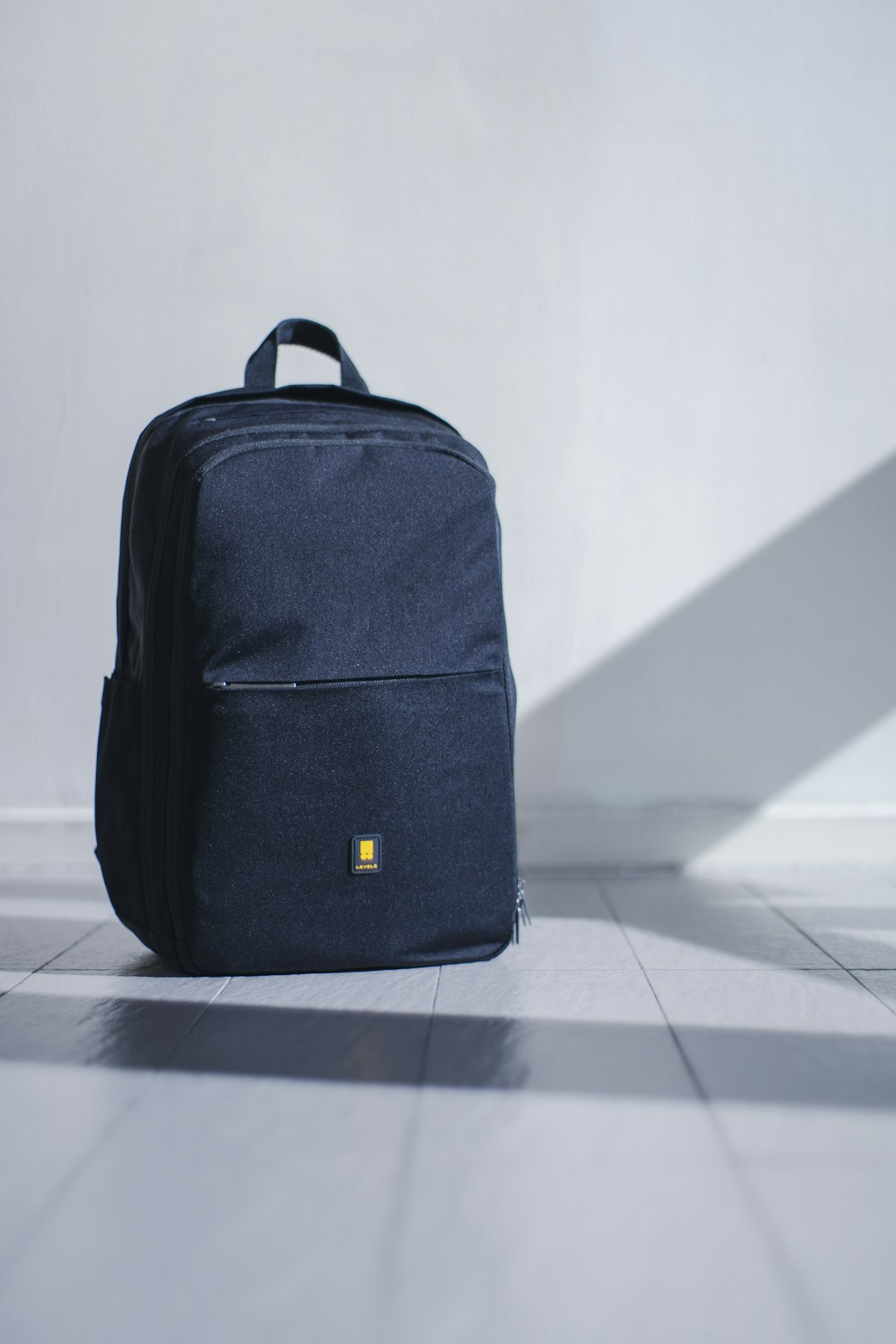
A 17-inch label is only a promise until the laptop and charger are inside.
The frustrating moment comes at the zip: a 17-inch gaming laptop technically enters the sleeve, but its thick rear edge strains the zipper and the power brick has nowhere safe to go. Screen size is not a fit measurement. A slim 17-inch model and a desktop-replacement chassis can differ dramatically in width, depth, and thickness.
Check the laptop’s published external dimensions, then compare them with the backpack’s actual sleeve dimensions—not merely its “fits up to 17.3-inch” claim. Leave a little clearance around the corners for padding and easy insertion, and account for the charger, headset, and mouse in separate space rather than forcing them against the lid. This matters especially with budget 17-inch gaming laptops, whose larger power adapters can turn a nominal fit into a cramped, poorly protected carry.
What “fits a 17-inch laptop” should actually mean
-
Room without a loose cavity
The sleeve should exceed the laptop’s width and depth by a few millimetres, not centimetres. Extra space lets the chassis shift and concentrates impact at the sleeve edge.
Look forMeasured internal sleeve dimensions with modest clearance.AvoidA vague 17-inch claim with no dimensions. -
Padding that protects every edge
Dense foam on the front, rear, and sleeve base matters more than a padded back panel alone. A raised or reinforced bottom keeps corners away from hard surfaces.
Look forPadded walls plus a suspended or reinforced sleeve floor.AvoidThin lining or a sleeve that rests directly on the bag base. -
Secure retention and usable zipper depth
A hook-and-loop strap or snug elastic keeps the laptop from sliding during a sudden stop. The zipper should close without pressing against the laptop’s corners or lid.
Look forA retention strap and a zipper that clears the chassis.AvoidA tight zip path or an unrestrained, oversized compartment. -
A separate home for the power brick
Gaming chargers are bulky and should not sit against the laptop screen. A dedicated lower pocket or divider prevents the brick from becoming an impact object.
Look forSeparated charger storage with room for cables.AvoidForcing the charger into the laptop sleeve.
Record the laptop’s width, depth, and closed thickness—not its screen diagonal. Use a reliable method for measuring laptop dimensions when comparing those figures with internal sleeve measurements.
Then add the charger’s longest side and thickness. A backpack can carry a 17-inch notebook yet still become a poor protective fit when its power brick shares the sleeve or forces the zipper under tension.
A 17-inch label is only the starting point. A gaming laptop’s depth, thickness, charger, and the way the bag behaves when fully loaded matter far more than a generous-looking sleeve.
Priority goes to padded compartments, reinforced bases, secure retention, and layouts that keep a dense power brick from pressing into the laptop. A pack that fits only when empty is not a sound transport choice.
A loaded gaming setup can quickly become heavy. Structured backs, padded straps, chest support, and sensible weight distribution count more than extra liters that turn into an unmanageable bulge.
Water-resistant or water-repellent fabric handles brief drizzle, not prolonged exposure or submerged seams and zippers. For regular wet-weather travel, choose a bag with a rain cover or explore backpacks built for waterproof protection.
Listed screen-size limits still need checking against the laptop’s actual exterior dimensions.
Choose by the way the bag will be used


Lenovo Legion Active: daily-ready protection without the bulk
01
Best overall for eco-conscious gaming commuters
The Lenovo Legion Active 17-Inch Gaming Backpack is the sensible middle ground for a gaming laptop that travels to campus, work, or a weekend away—not just the airport. Its padded rear sleeve is intended for a 17-inch laptop, while the main compartment can take a second, smaller notebook or the rest of the daily kit.
This is a compact-looking gaming bag rather than a cavernous travel pack, with a coated base, water-resistant build, bottle pocket, and trolley strap. Before ordering, compare the laptop’s actual width, depth, and thickness with the bag’s available sleeve space: “17-inch” describes screen diagonal, and wide 17.3-inch gaming chassis are not all the same footprint.
- Padded dedicated 17-inch rear compartment
- Coated base helps on wet or dirty floors
- Six compartments separate laptop, charger, and small gear
- Recycled PET construction without a flimsy feel
- Trolley strap suits occasional travel
- No published sleeve dimensions to verify wide chassis
- Water resistance is not full rainproofing
- Less capacity than a true multi-day travel backpack
Quick take A well-judged default for mainstream 17-inch gaming laptops, provided the specific chassis footprint is checked before purchase.
This is the balanced choice for carrying a 17-inch gaming laptop without accepting the size and weight of a travel-hauler. The dedicated padded rear compartment, reinforced base, and useful gear separation address the practical risks of daily transport. It is especially compelling for commuters, but oversized 17.3-inch models should be measured rather than assumed to fit.
Top budget option with waterproof protection
At roughly $30, this MATEIN is aimed at the gamer or commuter carrying a reasonably slim 17- or 17.3-inch machine alongside the everyday tech pile: power brick, mouse, headset, handheld, cables, and a change of clothes. Its included organizer pouch makes it especially practical when small accessories would otherwise migrate to the bottom of the bag.
The structured, upright format suits school, office, and weekend travel better than a minimalist laptop pack. It is most convincing when packed deliberately rather than treated as a bottomless gear hauler.
- Fits laptops up to 17.3 inches
- Included pouch tames cables and small gear
- Eleven pockets support separated packing
- Bottom and laptop-compartment padding add protection
- Waterproof construction listed by manufacturer
- Padding is less refined than premium packs
- Shoulder harness is not built for very heavy loads
- Many compartments can encourage overpacking
- Bulky 17-inch chassis still need footprint checking
MATEIN 18-Inch: the safer route for oversized rigs
Best for oversized laptops and travel protection
A nominal 17.3-inch label hides a wide range of chassis footprints. Desktop-replacement gaming machines can be unusually broad, thick at the rear, and paired with a power brick that deserves its own space—not pressure against the computer’s lid. This MATEIN is built for that reality, with a laptop compartment rated to 18.4 inches and plush, thickened padding around the device.
That extra tolerance matters most when a standard 17-inch sleeve closes only with force or leaves the zipper running across a corner. A slightly roomier compartment is preferable when it lets the laptop sit flat, clears the zipper track, and retains its protective padding rather than compressing it. Its 19.3 × 13.4 × 7.1-inch overall form also makes sense for travel loads: laptop, substantial charger, mouse, headset, and accessories can be carried without turning the main sleeve into a catch-all.
It is not the discreet commuter choice. The deeper, more protective build looks and carries like gear luggage, but for a large gaming system, that is often the sensible trade.
- 18.4-inch stated laptop capacity
- Thick, plush device padding
- Space for large charger kits
- Detachable rain cover included
- Airline carry-on-oriented dimensions
- Bulkier than daily commuter packs
- Less streamlined silhouette
- Extra room should still be stabilized
- Water resistance is not waterproofing
A structured upgrade for full gaming loads
Best for carrying complete gaming setups
SwissGear’s The Gamer is built for the commuter or traveler carrying more than a laptop: a 17-inch machine, its substantial charger, peripherals, and often a handheld or controller. Its more structured, protective layout makes sense when that load is repeated between lectures, offices, airports, and events rather than carried occasionally. The external USB port is simply a pass-through connection; it requires a separately purchased power bank in the internal battery pocket, and does not charge anything on its own.
- 360° laptop protection suits frequent carrying
- Contoured straps and airflow back panel help with heavier kits
- Dedicated space for consoles, controllers, and accessories
- Hidden rear pocket adds discreet storage
- Water-repellent exterior handles light weather
- Bulkier than a simple laptop backpack
- USB port needs a separate power bank
- Four compartments can encourage overpacking
- Not a substitute for a rain cover in sustained downpours
A roomy everyday bag for school and leisure
The DUSLANG is the sensible crossover pack for a manageable 17-inch laptop that still has to travel with the rest of daily life. Its layout separates the computer and tablet from a roomy main section sized for a few days of clothing, while dedicated spaces for papers, pens, a power bank, bottle, and umbrella keep small essentials from turning into one loose load. That makes it particularly natural for campus, commuting, and light overnight travel rather than a laptop-only carry.
For a slim or moderately sized 17-inch machine, the organization is more valuable than a cavernous single compartment. A very thick gaming chassis, however, deserves careful sleeve measurement and ideally a more purpose-built bag with heavier all-around laptop padding and extra clearance for the charger.
- Separate laptop and tablet areas
- Room for 3–5 days’ clothing
- Ten-pocket organization for documents and accessories
- Ventilated back padding and adjustable straps
- Water-resistant exterior
- 17-inch rating leaves little margin for bulky gaming chassis
- Not a dedicated high-impact gaming bag
- Large charger can consume main-compartment space
Match the backpack to the load
A 17-inch label is only a starting point. A slim 17-inch notebook with a compact charger can ride securely in the Lenovo Legion Active, making it the sensible all-round choice for campus, commuting, and occasional gaming sessions. Its advantage is restraint: enough protection without turning every short trip into an oversized carry.
The MATEIN 17.3-inch suits a lighter budget build that still needs cables, a mouse, and small accessories kept separate. Its many pockets help only when they are used selectively; filling every compartment can pull weight away from the back and make a modest load feel cumbersome.
When more room is genuinely safer
Size up to the MATEIN 18-inch when the machine has a thick rear exhaust, a broad 17.3-inch footprint, or travels alongside a large power brick and peripherals. A larger sleeve is prudent when it preserves zipper clearance and lets padding remain uncompressed—not simply because extra space is available.
For frequent, fully loaded carry, the SwissGear earns its premium through a more structured harness and storage layout. The DUSLANG is the more flexible mixed-trip option, with room for a change of clothes and documents alongside the laptop.
Avoid upsizing a thin laptop for day-to-day use if the empty sleeve leaves it sliding around. Extra internal volume becomes bulk, and loose gear can defeat the protection the larger bag was meant to provide.
- A properly fitted sleeve should close without forcing the zipper across a raised laptop corner.
- The charging brick belongs in a separate compartment, not pressed against the display panel.
For most 17-inch gaming laptops, the Lenovo Legion Active is the strongest everyday choice: protective enough for regular commuting without the excess bulk of a travel pack. The MATEIN 18-Inch is the safer purchase for unusually wide, thick machines and full-size power bricks, while the SwissGear Gaming Backpack earns its premium for frequent, fully loaded carry. The DUSLANG suits overnight travel; the 17.3-inch MATEIN keeps costs down when careful packing is maintained.
A bag is only protective when it is packed correctly. Confirm the internal sleeve measurements against the laptop’s actual footprint, including protruding rear vents and thick front edges. Leave a small, controlled margin around the chassis—not enough for it to slide, but enough that the zipper never bears on a corner.
Place the laptop in its sleeve, add the usual accessories, then close every zipper without pulling hard. If the lid bows or the zipper drags over the laptop edge, move to a larger sleeve or reduce the load.
Keep the charger, mouse, and other dense items in a separate organizer pocket. A power brick against the laptop compartment can concentrate force on the display or chassis during a drop.