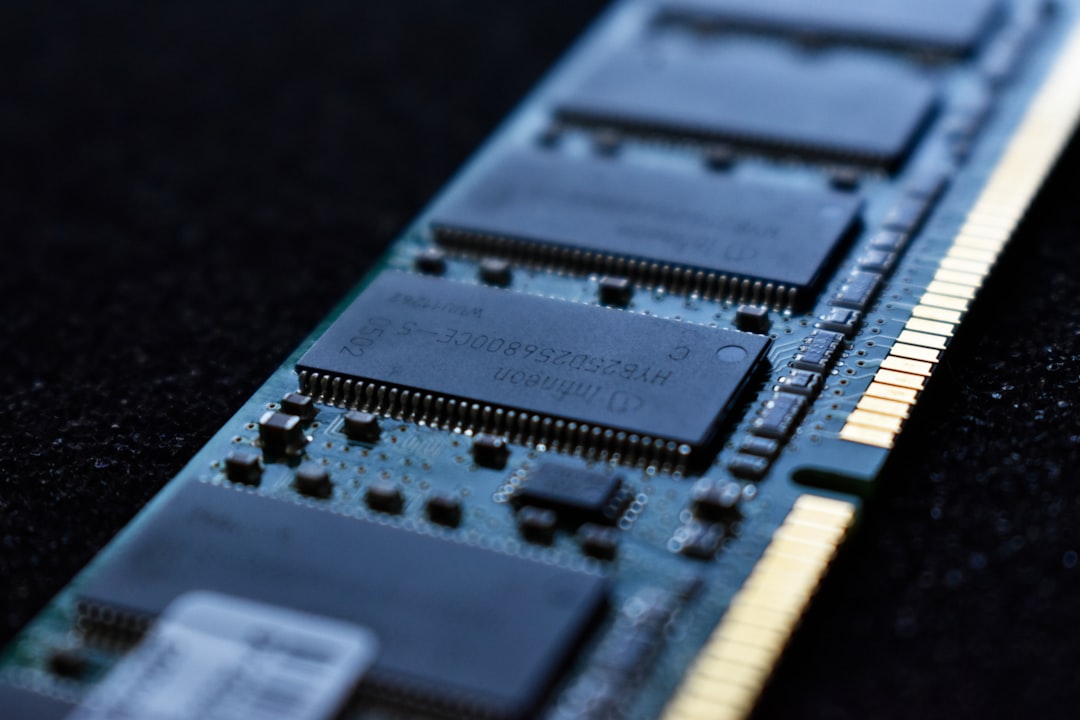
A mixed RAM upgrade can look perfect at boot—then unravel days later.
The PC reaches the desktop, games launch, and the new module appears at the expected capacity. Then, after a long editing session or an overnight sleep cycle, an app closes without warning, a game throws a corrupted-data error, or Windows reports a blue screen that seems unrelated to memory.
That delay is typical of a marginally stable RAM combination. Startup only proves that the motherboard could train the modules well enough to boot at that moment. It does not prove they can exchange data reliably under heat, sustained load, changing power states, or the particular access patterns created by demanding software. A mismatch in memory chips, rank layout, timings, voltage tolerance, or SPD/XMP profile may leave almost no visible clue until one rare transaction is stored incorrectly. RAM errors can masquerade as driver faults, damaged files, or a failing graphics card—making a “working” upgrade especially deceptive.
Mixing brands can work—but it is a compromise
Different RAM brands can coexist perfectly well. Modern DIMMs follow common DDR standards, and the memory controller sees their electrical characteristics and programmed profiles—not a brand name. The catch is that two modules which look compatible may not behave identically once speed, voltage, temperature, and memory-controller load enter the picture.
For dependable mixed-memory operation, the modules need a conservative setting both can sustain:
- the same DDR generation and compatible physical type (for example, DDR4 UDIMM with DDR4 UDIMM)
- a shared speed, timings, and voltage
- compatible capacity and rank arrangements where possible
- a motherboard and CPU memory controller able to handle the total configuration
The system normally selects the slowest common JEDEC settings. Enabling XMP or EXPO changes the calculation: those profiles are validated for a module or kit, not for an arbitrary pairing. A 3200 MT/s stick and a 3600 MT/s stick may run safely at 2666 or 3200 MT/s, yet fail at the faster module’s advertised profile.
A matched kit remains the stability-first choice because its sticks were binned and validated together. Mixing is reasonable when capacity matters more than peak tuning, provided stability testing follows.
Treat the mixed pair as a new configuration. Start at default settings, then test memory thoroughly before trusting it with important work.
What the system negotiates at boot
Every DIMM contains a small SPD (Serial Presence Detect) chip. At startup, the motherboard firmware reads it for supported frequencies, primary timings, voltage, capacity, rank layout, and sometimes temperature-sensor data. It then trains the memory link: adjusting signal timing, read/write delays, and reference voltages until the CPU can communicate reliably with the installed modules.
That process does not let each stick run independently. All DIMMs on a channel must use a compatible common configuration, so firmware normally falls back to the slowest shared JEDEC specification. For example, a DDR4-3200 stick paired with a DDR4-2666-only stick may operate at 2666 MT/s, often with looser timings. This conservative mode is the closest thing to a guaranteed baseline—but electrical loading, ranks, and motherboard topology can still force a lower speed.
Why XMP and EXPO change the risk
XMP (common on Intel platforms) and EXPO (AMD-focused) are stored overclock profiles, not universal guarantees. They request higher data rates, tighter timings, and usually higher voltage than JEDEC. A mixed pair may expose different profiles, or only one may offer the desired profile; enabling it applies a single setting set to both modules.
The CPU’s integrated memory controller (IMC) is the final constraint. Its quality, supported DIMM count, rank arrangement, and the motherboard’s trace layout determine whether training succeeds and remains stable. If mixed RAM crashes with a profile enabled, testing at JEDEC defaults is the cleanest first comparison.
Rule out combinations that cannot share a memory channel
-
Same DDR generation and physical format
DDR4 and DDR5 have different key notches, electrical signaling, and platform support; neither can substitute for the other. Desktop UDIMMs and laptop SO-DIMMs are likewise different physical modules.
CompatibleModules explicitly listed as DDR4 or DDR5 for the board’s DIMM or SO-DIMM slots.Not compatibleAdapters, forced insertion, or a board that supports only the other DDR generation. -
Matching memory class
Consumer unbuffered DIMMs normally cannot operate alongside registered/buffered server DIMMs. ECC support also depends on the motherboard and CPU, not merely an ECC label on the module.
CompatibleAll modules marked UDIMM, or all marked RDIMM/LRDIMM on a platform designed for them.Not compatibleMixing UDIMM with RDIMM/LRDIMM, or assuming ECC will function on an unsupported platform. -
Capacity and rank differences
Different capacities, ranks, speeds, and brands can often boot together. The firmware usually selects a common, slower setting; dual-channel operation may become asymmetric rather than disappear.
CompatibleA capacity the motherboard supports, with conservative shared JEDEC settings available.Not compatibleTreating unequal modules as electrically incompatible or expecting their advertised overclock profile to remain active.
A DDR4 stick will not fit a DDR5 slot without damage because the notch position differs. If a module does not seat with normal pressure, stop and verify the board manual, module type, and slot orientation.
For server hardware, consult the platform’s memory population rules as well: some CPUs require matched DIMM types per channel or per processor.
Same speed label, different memory
A DDR4-3200 or DDR5-5600 label states a transfer rate, not a complete electrical profile. One module may advertise loose JEDEC timings while another expects an XMP/EXPO profile with tighter primary and secondary timings. The firmware must find settings that both sticks—and the CPU’s memory controller—can train reliably.
What the label leaves out
Even at the same rated speed, modules can differ in:
- Timings: CAS latency is only one value; tRCD, tRP, tRAS, command rate, and many hidden subtimings affect stability.
- Rank and density: A single-rank 8 GB DIMM loads a channel differently from a dual-rank 16 GB DIMM or a high-density 32 GB DIMM.
- Memory chips and layout: Different DRAM ICs, PCB trace routing, and module organization change signal margins.
The platform normally selects a common denominator: the slowest mutually stable frequency, conservative timings, and compatible voltage. That is why mismatched RAM can reduce memory speed even when both packages print the same MT/s figure. If training fails, firmware may retry at lower settings, disable an overclock profile, or fall back to safe JEDEC defaults. A matched kit avoids these unknowns because its modules were tested together under one profile.
Which mixed-memory setups are safest?
A capacity mismatch is not inherently unstable. Modern desktop and laptop controllers can usually run unequal DIMMs reliably at a common supported setting; the trade-off is often bandwidth, not crashes.
From lowest to highest risk
- Two modules with the same specifications but different brands. Same DDR generation, capacity, rated voltage, primary timings, rank organization, and ideally the same IC family make this close to a matched pair—though not formally validated as one.
- Same generation and speed, different capacities. For example, 8 GB plus 16 GB. Many Intel systems use flex mode: the matching 8 GB portion of each module operates in dual channel, while the remaining 8 GB runs single channel. AMD platforms also commonly support asymmetric channel populations, although the exact mapping varies by platform. Performance can dip once workloads spill into the unmatched region, but capacity alone does not cause random crashes.
- Different speed or timing bins. A DDR4-3200 module paired with DDR4-2666 normally falls back to DDR4-2666 or another mutually stable setting. Leaving XMP/EXPO off is the sensible starting point.
- Different voltage profiles, ranks, densities, or DIMM counts. These combinations put more stress on memory training and the CPU’s integrated memory controller, especially at high frequencies.
- Mixing separate overclocked kits. Even two identical retail kits can use different revisions. Four DIMMs at XMP/EXPO is the most failure-prone common arrangement; reducing frequency is often more effective than replacing hardware.
When instability is likely memory-related
Mixed RAM problems often appear after an apparently normal boot. A system may pass light desktop work, then blue-screen during a game, fail a large compile, report WHEA hardware errors, corrupt an archive, or crash only after waking from sleep. The pattern can be frustratingly variable: more DIMMs, warmer case temperatures, sustained memory traffic, or a particular XMP/EXPO profile may make it happen sooner.
That pattern makes memory settings or the CPU’s memory controller plausible, not proven. Driver faults, an unstable CPU or GPU overclock, storage errors, overheating, and a marginal power supply can produce similar symptoms. Repeatable failures during a memory test or at the same workload and settings are stronger evidence than a single random crash.
By contrast, a machine that never reaches firmware setup, shows a DRAM debug LED, power-cycles in training, or works only when a stick is reseated points first to installation or basic compatibility. Check slot population order, fully latched modules, bent CPU socket pins, firmware version, and each DIMM/slot individually. For those symptoms, follow a focused guide to diagnosing no-boot problems with mixed memory before blaming load stability.
Instability that emerges under heat, capacity, or sleep transitions is more consistent with marginal timing than an immediate seating fault.
Prove stability at safe settings first
-
Update firmware and confirm the physical layout
Install a current stable BIOS/UEFI release, then consult the motherboard manual for the preferred slots—usually A2 and B2 for two modules. Power off fully and reseat both DIMMs; a slightly unseated stick can imitate an incompatibility problem.
-
Clear prior memory tuning
Load firmware defaults or clear CMOS if settings have been changed repeatedly. Disable XMP, EXPO, DOCP, Memory Try It, and manual timings so the board can train the pair from their SPD data at conservative JEDEC settings.
-
Check what the firmware actually selected
After a clean boot, verify total capacity, channel mode, frequency, and primary timings in firmware or a hardware-monitoring utility. A lower-than-expected speed is not automatically a fault; it is often the board choosing a common safe point.
-
Stress-test the baseline before enabling a profile
Run a bootable memory test for several passes, then use an in-OS test that exercises most available RAM while the system is warm. Include normal sleep/wake, gaming, compiling, or other real workloads, since marginal memory may pass a short cold-start test.
-
Treat every confirmed error as a failed configuration
Even one reproducible memory-test error, unexplained application crash, or WHEA hardware error means the setup is not stable. First return to defaults, test each module alone in the recommended slot, and test the alternate module; then try a lower shared frequency or looser timings. If the baseline remains error-free but XMP/EXPO fails, leave the profile off or reduce its speed rather than adding voltage blindly.
Save screenshots or notes of each tested setting; one change at a time makes the failing limit identifiable.
Keep mixed RAM only after it earns trust
- Record each module’s part number, capacity, rank layout, rated speed, and tested settings before changing anything.
- Replace the pair with one matched kit when the system handles irreplaceable work or errors recur at the required speed.
A mixed pair is reasonable to keep when it survives several long, error-free memory tests at the exact settings it will run, including realistic heat and workload conditions. It must also deliver the capacity and speed the machine actually needs; a stable fallback frequency is not automatically a good result if it constrains the workload.
For gaming, casual home use, or a temporary capacity upgrade, proven stability can justify reuse. For professional work, unattended systems, development builds, financial records, or any machine where a silent error is costly, the conservative choice is a matched replacement kit. Document both installed modules and the validated settings first, then replace them as a set when reliability matters more than saving a usable stick.