
When a capable PC starts pausing, memory is often the quiet bottleneck.
A game is running smoothly until a browser, voice chat, launcher, and a few background utilities join the session; suddenly, frame-time spikes and disk activity appear. For photo batches, code builds, virtual machines, or large spreadsheets, 32GB is the sensible DDR4 target: enough room to keep active work in memory rather than paging it to a far slower drive.
Capacity alone does not guarantee a clean upgrade. The kit must be DDR4 desktop UDIMM, not laptop SO-DIMM or server ECC memory, and its speed has to suit the motherboard and CPU. Newer DDR4 platforms commonly benefit from 3200 MT/s profiles; many older boards run best with 2400–2666 MT/s. A matched 2×16GB kit preserves dual-channel bandwidth and avoids the compatibility gamble of mixing existing modules.
- Confirm vacant DIMM slots and maximum supported memory in the board manual.
- Enable XMP or DOCP/EXPO-equivalent memory profile in BIOS when the platform supports it.
Five 32GB DDR4 Kits at a Glance


A 32GB kit only works well when the platform agrees
-
The right physical standard
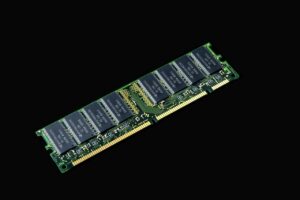
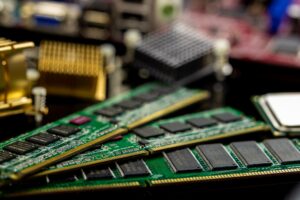
Desktop DDR4 uses full-length 288-pin UDIMMs. Confirm the board does not require a different generation, and avoid laptop SO-DIMMs or registered ECC modules unless its manual explicitly supports them.
Check forDDR4 UDIMM support in the motherboard manual.Watch out forAssuming every DDR4-shaped module is interchangeable. -
Slots, limits, and channel layout
Check the board’s maximum memory capacity and the CPU generation’s supported configuration. A matched 2×16GB kit usually preserves dual-channel operation; install it in the paired slots named in the manual.
Check forTwo free matched slots and 32GB platform support.Watch out forFilling arbitrary slots or exceeding per-slot limits. -
Rated speed versus boot speed
A DDR4-3200 kit normally starts at a conservative JEDEC speed. Its advertised settings require enabling XMP on many Intel boards or DOCP/A-XMP on AMD boards; stability still depends on the CPU memory controller.
Check forA BIOS profile and validated speed support.Watch out forExpecting the label’s speed without profile setup. -
Clearance and matched modules
Tall heat spreaders can meet large air coolers. Adding old sticks may force the system to the slowest shared settings or cause training errors; learn the risks of mixing RAM brands in a desktop before doing so.
Check forLow-profile modules and one matched kit.Watch out forCombining unmatched capacities, timings, or voltages.
After enabling XMP or DOCP, run a memory test and a few normal workloads. Random application crashes, WHEA errors, or failed boots usually call for a BIOS update, lower memory speed, or returning to the kit’s default settings.
G.SKILL Ripjaws V: the 3200 CL16 mainstream sweet spot
01
Best for balanced gaming and everyday desktop upgrades
This matched 32GB kit pairs two 16GB DIMMs at DDR4-3200 with the widely useful CL16-18-18-38 timing set. It is the sensible performance target for mature DDR4 gaming rigs and busy desktop builds: enough bandwidth for modern CPUs without chasing pricier, lower-latency enthusiast bins. The rated speed depends on loading its XMP profile and on the motherboard and processor training it cleanly, so G.SKILL’s QVL or configurator remains worth checking before purchase.
- 3200 MT/s and CL16 offer a strong latency-to-bandwidth balance
- Two matched 16GB modules preserve dual-channel operation
- Low-profile heat spreaders suit many air-cooled builds
- A well-established speed grade for DDR4 platforms
- The advertised setting is an XMP overclock, not the universal default
- Older CPUs and boards may need a lower memory ratio for stability
- No ECC support for workstation or server use
- Mixing it with an existing kit can cause training failures
In brief For a platform that supports it reliably, 3200 CL16 is where DDR4 performance becomes meaningfully well-rounded rather than merely adequate.
At 3200 MT/s, this kit can improve memory-sensitive gaming lows and CPU-bound workloads over slower DDR4, particularly on platforms whose memory controllers benefit from the higher fabric or controller clock relationship. CL16 is good mainstream timing, not ultra-low latency, but it keeps cost and compatibility more sensible than aggressively tuned kits. Confirm the exact board-and-CPU combination on a QVL, enable XMP, and stability-test before treating the rated specification as final.
A low-profile kit for hands-on DDR4 tuning
High-performance memory with strong overclocking headroom
Corsair’s Vengeance LPX is a long-running enthusiast staple built around short aluminum heatspreaders, making it an easy physical fit beneath large air coolers and in crowded desktop builds. This 32GB DDR4-3200 CL16 kit suits builders prepared to enable XMP and, where the platform permits, test modest manual tuning rather than simply install memory and forget it.
Its established reputation and broad motherboard validation are reassuring, but the label alone does not make it faster than another stable 3200 CL16 kit. At the same effective speed and timings, real-world differences are typically negligible; price and verified compatibility should decide the purchase.
- Low-profile modules clear most tower coolers
- DDR4-3200 CL16 is a proven performance baseline
- Aluminum heatspreaders and screened ICs support experimentation
- Long-established line with extensive platform familiarity
- No inherent speed advantage over rival 3200 CL16 kits
- Manual overclocking results vary by memory IC, CPU, and board
- A large price premium undermines its value
- XMP is an overclock profile, not a guaranteed setting on every system
A dependable low-profile choice for DDR4 enthusiasts, particularly in builds where cooler clearance matters. Enable its 3200 MT/s CL16 XMP profile first; manual adjustments are worthwhile only for those willing to stability-test. Compared with similarly rated kits, it earns a premium only when the price gap is small.
Timetec DDR4-2666: capacity-first for speed-limited desktops
Plug-and-play capacity for compatible desktop systems
This 2×16GB Timetec kit is the sensible match for office PCs, home desktops, and older gaming platforms whose memory controller officially tops out at 2666 MT/s. In those machines, buying faster-rated RAM may simply mean paying for headroom the system cannot use.
The matched, dual-rank UDIMMs run at 1.2V and use standard non-ECC desktop DIMM slots. Moving from 16GB to 32GB can keep browsers, office apps, launchers, and game background tasks in memory rather than sending data to the far slower storage drive—a change often more noticeable than a modest bandwidth increase.
- 32GB capacity helps curb storage paging
- 2666 MT/s suits platform speed ceilings
- Matched 2×16GB kit enables dual-channel operation
- Dual-rank modules can benefit some DDR4 platforms
- Limited lifetime warranty
- CL19 timing is relaxed by DDR4 standards
- Little reason to choose it on stable 3200-capable systems
- Desktop 288-pin UDIMMs only; not laptop memory
- Compatibility still depends on motherboard BIOS and CPU support
For a desktop capped at 2666 MT/s, this kit targets the upgrade that matters: enough memory to avoid paging. Its CL19 rating is not performance-oriented, but chasing tighter timings or a higher data rate makes little sense when the platform will run them no faster. Confirm the board supports 32GB and 16GB UDIMMs before ordering.
PUSKILL 32GB DDR4-2666 for a carefully priced basic upgrade
This is a defensible capacity-first purchase only when its checkout price creates a clear saving against established 2×16GB DDR4-2666 or DDR4-3200 kits. Before ordering, confirm that the listing is specifically for two matched 16GB desktop UDIMMs—not a single module, laptop SO-DIMM, or mixed bundle—and that the motherboard accepts non-ECC, unbuffered DDR4. A retailer with straightforward returns and a stated warranty matters here: those protections are worth more than a small sticker-price advantage if a system proves fussy about memory.
A native 2400 MT/s kit for older DDR4 boards
- Native DDR4-2400 rating avoids relying on XMP
- 2×16GB enables dual-channel 32GB capacity
- Dual-rank 2Rx8 layout can suit older controllers
- 1.2V standard-voltage UDIMMs
- Limited lifetime warranty
- CL17 timing is modest by current DDR4 standards
- Far less bandwidth than 3200 MT/s kits
- Listed price can erase its value advantage
- Not suitable for laptop SO-DIMM slots
For an older OEM tower or workstation whose firmware and CPU officially top out at 2400 MT/s, this matched 2×16GB kit removes a common setup variable: there is no overclock profile to enable for its rated speed. The capacity upgrade matters far more than the bandwidth loss on a paging-bound legacy machine.
A newer DDR4 platform that supports 2666, 3000, or 3200 MT/s should use memory at its supported speed instead. At roughly $180, this kit also needs a careful price check; compatibility is its case, not a performance bargain.
Match the kit to the desktop, not the benchmark chart
-
Start with the system generation
Check the motherboard manual or OEM support page for DDR4 UDIMM compatibility, maximum memory, and supported data rates. Laptop SO-DIMMs and registered server memory are not substitutes.
-
Use DDR4-3200 where it is genuinely supported
The G.SKILL Ripjaws V and Corsair Vengeance LPX are the sensible picks for mainstream boards and CPUs that can run their 3200 MT/s XMP profile reliably. Their small differences matter less than stable profile operation.
-
Choose 2666 for capped or value-focused builds
The Timetec and PUSKILL 2666 kits suit platforms limited to that speed or purchases where a clear price saving outweighs extra bandwidth. Prefer the Timetec when pricing is close; warranty and seller confidence count.
-
Reserve 2400 for hard limits
The Timetec 2400 kit belongs in older OEM desktops and boards that cannot use faster memory. Installing 3200 in such a machine rarely creates a meaningful advantage, since it will downclock.
-
Buy one matched 2×16GB kit
Matched modules preserve the best chance of dual-channel operation and predictable training. Mixing old DIMMs can force lower speeds or introduce intermittent instability.
-
Record the current BIOS settings
Before opening the case, note any CPU or memory overclock, then update to a stable BIOS version if the board is behind. Shut down, switch off the PSU, unplug it, and discharge residual power.
-
Use the motherboard’s paired slots
Install the two matched modules in the manual’s recommended two-DIMM slots—usually A2 and B2, the second and fourth slots from the CPU. Open the latches, align the notch, and press evenly until both modules lock.
-
Let the system train at defaults first
Boot once with default memory settings before enabling a profile. The first start can take longer than usual while the board trains the new DIMMs; do not interrupt it prematurely.
-
Enable the rated profile
In BIOS, select XMP on Intel boards or DOCP/EOCP/XMP-equivalent on AMD boards, then save and reboot. A DDR4-3200 kit may otherwise run at its safe JEDEC fallback speed, often 2133 or 2666 MT/s.
-
Confirm capacity, speed, and stability
Check BIOS or the operating system for 32GB total memory and the intended transfer rate. Run a memory test or a sustained workload; one clean boot is encouraging, but not a stability verdict.
Power off and reseat both DIMMs first. Then clear CMOS and try one module at a time in the board’s primary recommended slot at default settings. If each stick boots alone but the pair fails, verify A2/B2 placement, update BIOS, and retry without XMP; a profile instability is more common than a defective matched kit.
- A lower-rated kit that boots reliably at the platform’s limit is faster in practice than an unstable headline-speed purchase.
For a modern DDR4 desktop that supports XMP at 3200 MT/s, the G.SKILL Ripjaws V 32GB DDR4-3200 is the strongest all-round pick; choose Corsair Vengeance LPX 3200 where low heat-spreader clearance or manual tuning matters. For systems capped at 2666, the Timetec 2666 is the more reassuring capacity-first choice, while the PUSKILL 2666 earns consideration only with a substantial price advantage and solid return terms. The Timetec 2400 belongs in genuinely 2400-limited older OEM machines.
Before ordering, verify that the board takes DDR4 UDIMMs, accepts a 2×16GB configuration, and supports the kit’s rated speed or profile. Check CPU-cooler clearance, then buy from a seller with practical return protection. The fastest sensible, stable kit beats the biggest MHz number on the box.