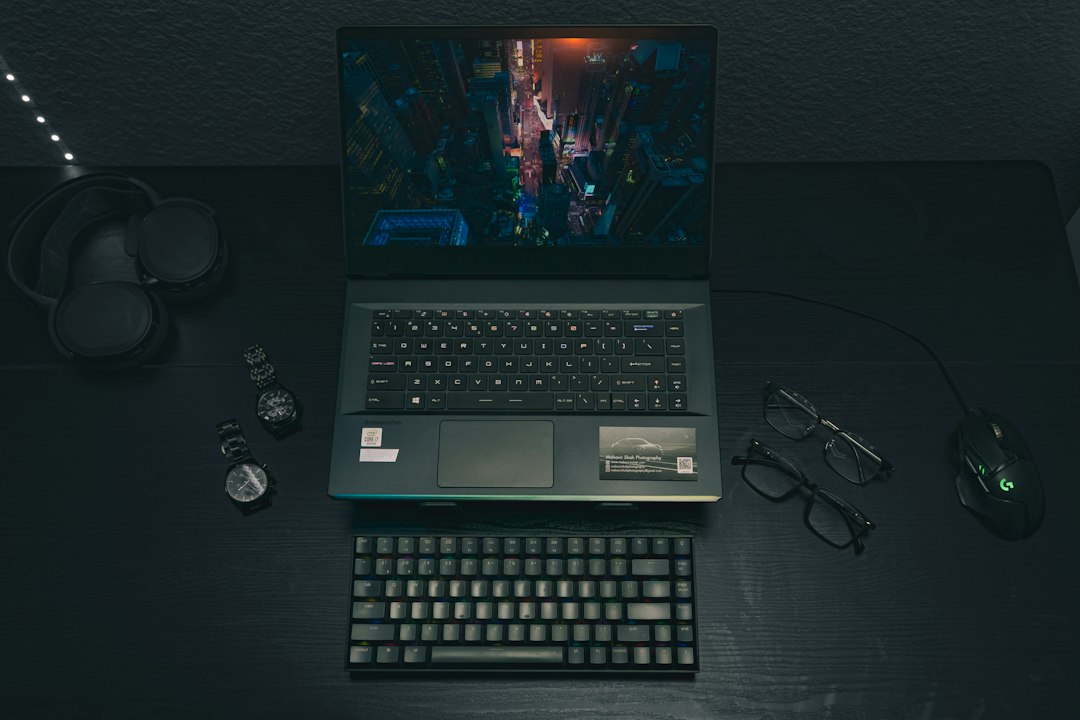
A bargain is only a bargain if it stays playable after the first exciting week.
The red flag often appears in a busy fight: frame rates plunge, the fans howl, and lowering every setting still does not make the game feel smooth. A rock-bottom price can mean an older entry-level GPU, only 8GB of shared memory, a cramped SSD, or cooling that cannot sustain its advertised speed.
Good value buys a reliable performance floor, not the cheapest ticket into PC gaming. For modern games, that usually means a dedicated GPU with enough VRAM for 1080p textures, 16GB of RAM, and an SSD large enough to avoid immediately juggling installations. It also means checking sustained reviews rather than trusting a single “up to” frame-rate claim: thin chassis and low-power GPU versions can perform far below similarly named parts. A modestly higher price for balanced hardware often delays the need to replace the machine—and makes every session less of a compromise.
- Prioritize GPU wattage and VRAM alongside the GPU name.
- Treat upgradeable RAM and storage as protection against early obsolescence.
What each budget tier really buys
At this end of the market, the price tag matters less than the graphics chip’s power limit and VRAM. A sale that moves from integrated graphics to a dedicated GPU is transformative; a premium display, RGB keyboard, or extra SSD capacity is not.
- Under $500: Expect older GTX/RTX hardware or an entry-level new GPU, usually with compromises in RAM, storage, screen quality, and cooling. Esports titles, indie games, and older AAA releases run well at 1080p on medium settings; demanding new games often need low settings and upscaling. Plan on roughly 1–2 comfortable years for new releases.
- Under $700: This is often the sensible floor for an RTX 3050/4050-class machine with 16GB RAM. It handles modern games at 1080p medium-to-high settings, especially with DLSS or FSR, and should remain practical for 2–3 years.
- Near $1,000: Stretch only for a genuine RTX 4060-class step, ideally with 8GB VRAM and a higher-wattage GPU. That extra headroom makes high settings, ray tracing in moderation, and 3–4 years of playable new releases realistic.
For many buyers, the trade-offs behind a low-priced gaming laptop are acceptable—provided expectations match the tier.
Choose the GPU before comparing anything else
-
Integrated graphics only for light play
Modern Radeon 680M/780M-class integrated graphics can handle esports, indie games, and older titles at reduced settings, but they borrow system memory and quickly run short in demanding releases. They are a sensible low-cost option only when gaming is occasional.
Look forIntegrated graphics paired with dual-channel 16GB RAM for lighter 1080p or 720p gaming.AvoidTreating an iGPU as comparable to a dedicated RTX laptop. -
Skip yesterday’s low-end dedicated chips when pricing is close
GTX 1650 and RTX 2050 systems can still run older games, yet their limited VRAM and absent or weak modern upscaling make them poor long-term buys. An RTX 3050 is the practical entry point, although its common 4GB VRAM versions need careful settings management.
Look forAn RTX 3050 at a clear discount, ideally with 6GB VRAM.AvoidPaying near-4050 money for GTX 1650, RTX 2050, or 4GB RTX 3050 models. -
RTX 4050 is the sweet spot; RTX 4060 adds breathing room
RTX 4050 laptops bring DLSS 3 frame generation and usually 6GB of VRAM, making them strong 1080p machines. RTX 4060 models add 8GB VRAM and a wider performance cushion for newer games, high textures, and a longer useful life; they are worth a modest premium.
Look forA well-reviewed RTX 4050, or an RTX 4060 when the price gap is small.AvoidChoosing by CUDA tier alone while ignoring tested game results. -
Verify power delivery and heat control
The same GPU can perform very differently between chassis. Check its listed TGP, independent sustained benchmarks, and cooling noise; a higher-power RTX 4050 can challenge a restricted RTX 4060. A MUX switch or Advanced Optimus lets the display bypass integrated graphics, improving frame rates and reducing latency when plugged in.
Look forSustained review benchmarks, adequate TGP, strong cooling, and MUX or Advanced Optimus support.AvoidAssuming every laptop with the same GPU badge delivers the same performance.
Set the supporting specs floor
A gaming laptop does not need a flagship CPU to pair well with a midrange GPU. The goal is to avoid components that interrupt frame delivery, force constant file management, or make a sensible upgrade impossible.
Fast filter
| Component | Acceptable | Preferable |
|---|---|---|
| CPU | Recent 6-core Ryzen 5/Core i5 | 8 cores or a newer efficient 6-core chip |
| Memory | 16GB, ideally dual-channel | 16GB–32GB with open upgrade access |
| Storage | 512GB NVMe SSD | 1TB SSD or a spare M.2 slot |
16GB RAM is the practical minimum for current games alongside a browser, voice chat, and background launchers. An 8GB model may run older esports titles, but modern open-world games can stutter as memory fills. Verify whether memory is socketed: soldered 8GB with no expansion path is a false economy.
Storage disappears quickly. Windows, updates, and a few 100GB games can crowd a 512GB drive; a second M.2 slot is often more valuable than a small CPU step-up.
Watch for lopsided listings: an i7 or Ryzen 7 paired with an RTX 2050/3050-class GPU rarely beats a balanced RTX 4050 system. Likewise, a capable GPU constrained by 8GB RAM or single-channel memory can lose smoothness where it matters most.
The details that shape daily ownership
A 144Hz label only states the panel’s maximum refresh rate. It says nothing about brightness, color coverage, response time, ghosting, or whether the GPU can hold 144 fps in demanding games. Independent reviews matter: look for roughly 300 nits for comfortable indoor use, near-full sRGB coverage for believable color, and measured response-time results rather than marketing claims.
Cooling is equally personal. Budget machines often reach acceptable temperatures while producing a high-pitched fan note under load. Check noise in dB, keyboard-deck temperatures, and performance on a long gaming loop—not only a short benchmark. A quieter balanced mode can be more valuable than a few extra frames.
Battery figures deserve the same skepticism. Gaming unplugged commonly lasts well under two hours and may reduce performance; web and video runtime better reflects travel usefulness. Also check charger wattage and size: a 280W brick can erase the portability advantage of a 15-inch chassis.
Before buying, confirm the ports match the desk: USB-C charging or DisplayPort capability, HDMI version, Ethernet, and enough USB-A. Finally, test or read about hinge stiffness, flex around the keyboard, trackpad quality, and warranty access—small details that are felt every day.

Pick a size for real life
A 14-inch or compact 15-inch chassis makes sense for daily campus travel: it occupies less desk space, slips into ordinary backpacks, and is easier to use in a lecture hall. The compromise is usually a smaller battery, warmer surface temperatures, and less room for high-wattage GPU cooling. Compare the laptop and its power brick; a bulky 230W adapter can erase much of the portability advantage.
A 17-inch model is closer to a portable desktop. Its larger screen is genuinely useful for code beside documentation, spreadsheets, timelines, and split-screen coursework, while the wider chassis can sustain performance with lower fan speeds. It is best for owners who mainly move it between rooms or drive with it rather than carry it all day.
For mixed study and gaming use, prioritize the machine that supports the longest daily session comfortably:
- Frequent walkers and commuters: 14–15.6 inches, ideally under 2.3 kg.
- Dorm or home desk use: 16–17 inches, with a full keyboard and better cooling.
- Programming workloads: favor screen space, 16GB RAM, and keyboard comfort over a marginal GPU upgrade.
Buy for the years after checkout
Low price does not automatically mean a short life. The better question is whether a cheap gaming laptop is reliable enough to keep after warranty coverage ends. A rigid display lid, firm hinge action with no creak, and ports that do not wobble matter more than decorative metal trim; these are the parts handled every day.
Inspect what can be repaired
Prefer models with standard Phillips screws, an accessible SSD slot, and memory that is not entirely soldered. Replacing a failed or undersized drive is inexpensive; replacing a motherboard is not. Check the warranty length, regional repair options, and whether opening the base affects coverage.
Thermals determine how gently the hardware ages. Sustained CPU and GPU temperatures, fan noise in long gaming tests, and clean rear/side exhausts reveal more than a brief benchmark. A laptop that holds clocks without repeated throttling places less stress on its battery, fans, and components—and helps define how long budget gaming laptops can realistically last. Periodic dust cleaning and sensible performance modes further protect that margin.
Five checks before placing the order
-
Match the exact model number
Confirm the retailer’s CPU, GPU, RAM, SSD, display refresh rate, and GPU power limit against the manufacturer’s product page. A single suffix can hide a lower-power GPU, single-channel memory, or a dimmer panel.
-
Read independent testing for the chassis
Look for sustained game benchmarks, screen brightness and color measurements, surface temperatures, and fan noise—not just a short promotional benchmark. First-time buyers can use this plain-language buying primer when spec sheets become confusing.
-
Check the seller behind the price
Verify who fulfills the order, the return window, restocking fees, warranty length, and whether return shipping is covered. Marketplace listings deserve extra caution.
-
Price open-box and refurbished units honestly
Treat a reduced price as worthwhile only after allowing for shorter coverage, cosmetic wear, missing accessories, and battery condition. Manufacturer-refurbished units with a clear warranty are usually safer than vague “renewed” listings.
-
Save the evidence before paying
Keep screenshots of the configuration, price, delivery estimate, and return terms. They make a specification mismatch far easier to resolve.
A few verifiable facts matter more than decoding every badge, acronym, or sale banner.
Retailers often reuse images across several configurations. The product title and model number carry more weight than a picture showing RGB lighting, extra storage, or a different screen.
If the GPU wattage, panel specification, or warranty status is absent, treat it as unknown, not favorable. A slightly higher price from a transparent seller can be the better deal.
Four routes to a better buy
There is no single best budget laptop. A good deal changes with the games, the expected settings, and how often the machine leaves the desk.
- Low-cost esports: Cap spending at $650 for an RTX 3050 6GB configuration with 16GB RAM. Expect 1080p medium settings and high-refresh play in Valorant, Rocket League, and Fortnite. The compromise is limited VRAM for new, demanding single-player games. At this price, compare the gaming-laptop-versus-console trade-off before paying extra for portability.
- Balanced 1080p: Spend no more than $900 for an RTX 4050 6GB and 16GB RAM. This is the sensible mainstream target for 1080p high settings, DLSS, and frame generation where supported. Its ceiling is 6GB of VRAM, so ultra textures are not a long-term promise.
- Performance stretch: Stop around $1,100 for an RTX 4060 8GB with a well-cooled chassis. It earns the premium in heavier games and offers more texture headroom. Do not stretch further merely for a faster CPU.
- Work-and-school first: Keep the ceiling near $950 for a 14- or 15-inch RTX 4050 machine with 16GB RAM, USB-C charging support, and a usable screen. Gaming remains strong, but quieter fans, battery life, and lower weight matter more than maximum wattage.

At roughly $890, this RTX 4050 Victus fits the balanced 1080p route. Its 16GB RAM and 512GB SSD avoid the common entry-level bottlenecks.
The 144Hz panel suits fast games. Its 250-nit, 45% NTSC screen is the clear compromise for color-sensitive work or bright rooms.
A sale only counts when the configuration clears its path’s floor. Skip a $900 RTX 4050 laptop with 8GB RAM, a dim screen, or unclear GPU power limits; its headline GPU does not erase those cuts.
-
Stop at the first GPU tier that meets the target
A higher tier earns its price only when it delivers a meaningful, sustained frame-rate gain at the games and settings that matter.
-
Pay for 16GB RAM and a usable SSD
These prevent immediate bottlenecks; beyond that, favor accessible upgrade slots over oversized factory configurations.
-
Treat the screen as a real upgrade
More money is justified for brightness, color coverage, response behavior, or resolution—not a flashy refresh-rate number alone.
-
Price the machine, not the headline spec
Cooling, warranty, repair access, charger size, and build quality can matter more than a small CPU bump.
-
Verify the exact configuration before checkout
Match the full model code, GPU wattage, panel, RAM layout, SSD capacity, seller, and return terms to independent reviews.
- A discounted laptop is only a bargain when its tested configuration matches the listing.
Set a ceiling, then defend it. Spend beyond it only for capability that will be felt in games or ownership—not for a badge, a minor benchmark win, or a misleading sale price.