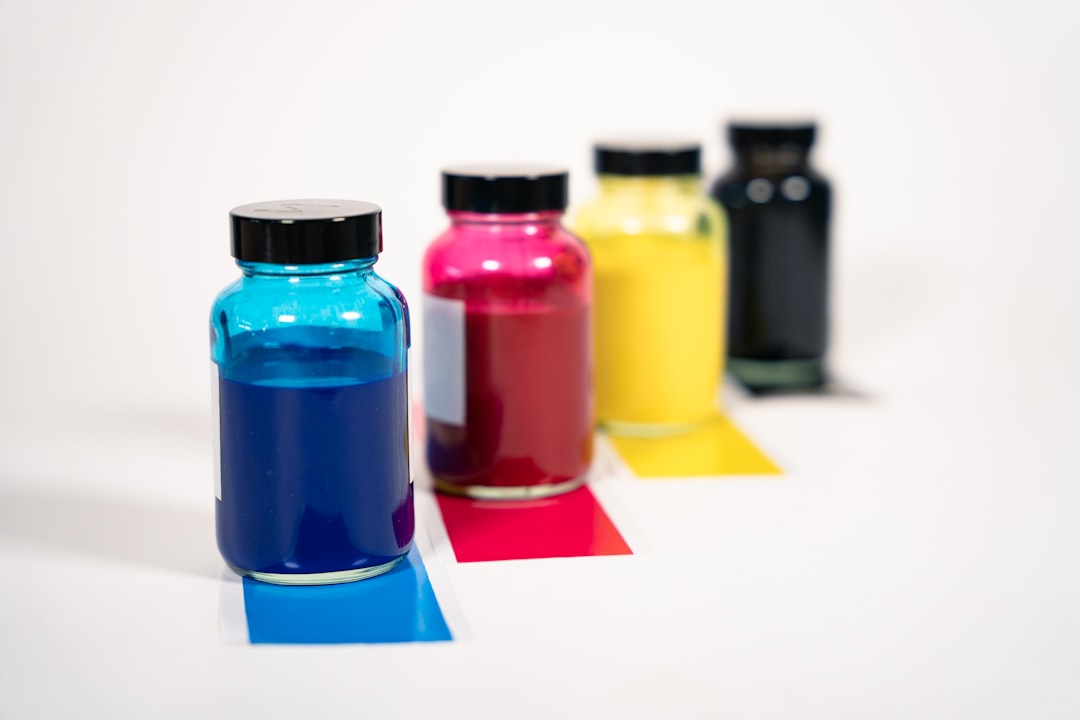
A cheap printer can become the most expensive one in the room.
A £40 printer may look like a bargain until its starter cartridges run dry after a modest stack of schoolwork, forms, or recipes. Replacing them can cost nearly as much as the machine itself—and that cycle is easy to miss at the checkout.
Cost per page exposes the real commitment. It divides the price of ink or toner by the manufacturer’s stated page yield, giving every black-and-white sheet and colour print a comparable running cost. A higher-priced printer with large, efficient cartridges may therefore cost far less over a year than a budget model built around small, frequently replaced supplies. The shelf price buys the hardware; cost per page shows what ordinary printing keeps costing.
- Starter cartridges often contain less ink than standard retail replacements.
- Page-yield ratings are measured under standardised test conditions, so photo-heavy or colour-rich pages usually cost more.
Separate ink cost from the cost of printing
- Ink-only cost per page
Cartridge spend divided by the pages that cartridge or cartridge set is rated to produce. It excludes paper, electricity, maintenance parts, and the printer itself.
- Black CPP
The cost of the black cartridge divided by its stated black-page yield. This is the cleanest comparison for text-heavy printing.
- Colour CPP
The cost of the cyan, magenta, and yellow supply needed for a standard colour-page yield. It is not the cost of one colour cartridge alone.
- ISO page yield
A standardized yield measured on specified test pages, usually at modest coverage. It makes models comparable, but photographs and dense graphics can consume ink far faster.
- All-in printing cost
Ink-only CPP plus paper and any allocated running costs, such as replacement printheads or maintenance boxes. It answers a different question from cartridge efficiency.
Calculate black and colour ink costs separately
-
Use the price actually paid
Take the normal cartridge or multipack price, not the printer’s bundled starter supply. Record the manufacturer’s stated ISO yield for that exact cartridge.
-
Calculate black-only cost
A $29.99 black cartridge rated for 1,200 pages costs $29.99 ÷ 1,200 = $0.025 per page: 2.5 cents for black ink.
-
Treat separate colour cartridges as a set
Suppose cyan, magenta, and yellow cartridges cost $17.99 each and each is rated for 700 standard colour pages. The three-colour supply costs $53.97, so $53.97 ÷ 700 = 7.7 cents per standard colour page.
-
State the combined ink figure only when it applies
A typical document using both black text and standard colour elements would be about 2.5 + 7.7 = 10.2 cents in ink. That is not an all-in page cost; paper must be added separately.
-
Recalculate for multipacks and uneven colours
If the three-colour multipack costs $48, colour ink falls to 6.9 cents per rated page. With individual cartridges, however, a cyan-heavy chart may empty cyan first; the most accurate long-run figure is total ink spend divided by actual pages printed.
For printers using a single tri-colour cartridge, replacement may be required when only one chamber runs out, so real colour cost can exceed the rated calculation.
A low black CPP does not prove that a printer is cheap for colour work, and a low colour figure may conceal an expensive black cartridge. Compare black ISO yield with black ISO yield, and compare complete colour-supply cost with the stated colour yield.
For photo printing, treat ISO CPP as a baseline rather than a promise. Borderless photos, rich backgrounds, cleaning cycles, and cartridge priming can make the ink used per sheet substantially higher.
Why page yields rarely match home output
Manufacturers’ page-yield figures are a standardised comparison tool, not a forecast of how many pages a household will print. Most inkjet ratings use ISO/IEC test suites: a defined set of pages printed under controlled settings, at specified coverage and default quality. Because every cartridge is tested against the same pattern, the figures are useful for comparing printers and calculating a starting cost per page.
The test pages are not blank, but they are usually much lighter than the pages that make people notice ink costs. A document with a small logo and occasional coloured heading may resemble the test suite; a full-page school handout, photo collage, map, or presentation slide does not.
Coverage changes the arithmetic
A cartridge rated for 300 colour pages can produce far fewer than 300 pages when colour coverage rises. Ink use also varies by which colours appear: a blue-heavy design can exhaust cyan long before magenta or yellow, even though the printer still holds ink in the other cartridges.
Real output is also reduced by ink used outside the visible page:
- Cleaning cycles prime and maintain printhead nozzles, particularly after idle periods.
- Borderless printing lays down extra ink beyond the paper edge.
- High-quality and photo modes use denser droplets and sometimes multiple passes.
- Draft mode can stretch a cartridge, though text may look lighter.
For budgeting, treat the ISO yield as the best like-for-like baseline. Then allow a generous margin when the printer’s regular work includes graphics, colour worksheets, photographs, or frequent short print jobs.
One printer, three very different bills
A printer that produces inexpensive black letters can still be costly for presentations or family albums. The reason is not simply “more colour”: each job type uses a different mix of inks, coverage, print modes and sometimes even maintenance cycles.
Black text is the lightest workload
A typical document page may place black ink on only 5% of its surface—the convention behind many cartridge yields. Sharp text is economical because much of the sheet remains blank. However, bold headings, large fonts, grey shading and duplex printing can raise consumption; some machines also build rich black from cyan, magenta and yellow in certain colour settings.
Colour documents consume several tanks at once
Charts, backgrounds, logos and full-width slides activate CMY inks alongside black. A page with modest-looking graphics can use far more ink than its word count suggests, especially when it contains saturated blocks of colour. On printers with individual tanks, one depleted colour can halt a job even when the black cartridge is still healthy.
Photos are a separate calculation
Photographs lay down dense, blended colour across most of the page, often using photo-black, light cyan or light magenta as well as the standard colours. High-quality and borderless modes add passes and may spray ink beyond the image edge into an absorber. Paper matters too: the full cost of printing photos at home includes premium coated paper, not ink alone.
For a realistic budget, test or estimate three samples separately: a text-heavy letter, a typical colour handout and a favourite photo size. Dividing a cartridge price by its headline yield is useful for text; measuring actual pages from each sample is more credible for graphics and photos.
Which ink system fits the printing pattern?
Standard cartridges make sense when printing is light, irregular, or difficult to predict. Their lower purchase price limits the cash tied up in ink, and replacing a small cartridge is simple. The trade-off is the highest cost per page and more frequent packaging and cartridge disposal.
Standard versus XL cartridges
XL/high-yield cartridges usually contain more ink for a modestly higher price, so their cost per page is lower. They suit households or small offices that print steadily enough to finish a cartridge before ink dries or printheads need repeated cleaning. Fewer replacements also mean less plastic waste and less interruption, although an XL cartridge is poor value if much of it expires unused.
- Standard: lowest upfront commitment; best for sporadic text printing.
- XL: a practical middle ground for regular mixed documents.
- Ink tank: lowest ink cost per page; strongest fit for sustained volume.
When tank savings are real
Tank printers cost more initially, but refill bottles can drive black-text costs down to fractions of a cent per page. They are especially compelling for frequent schoolwork, home-business documents, or colour handouts. Filling tanks is less convenient than clicking in a cartridge, though sealed bottle designs have reduced spills; a mistaken colour fill remains costly.
For very occasional printing, the apparent bargain can reverse. Idle ink may thicken, automatic maintenance consumes ink, and a clogged printhead can erase years of refill savings. Models designed as low-waste printers for occasional printing prioritise maintenance behaviour as much as bottle price. The right comparison therefore uses expected annual pages and printing frequency—not yield alone.
The hidden ways ink gets used
A cartridge does not empty only when pages leave the tray. Many inkjets run maintenance cycles to keep nozzles open, especially after sitting unused. Repeatedly switching the printer off at a power strip can trigger extra start-up cleaning on some models. Leaving it plugged in and using its normal power button is usually the safer routine.
Choose settings for the job
The “Best,” “Photo,” and borderless options often lay down substantially more ink than ordinary documents need. A saved preset for everyday letters—plain paper, standard quality, duplex where appropriate—prevents an expensive setting from becoming the default.
For black-and-white documents, select black ink only or “grayscale using black cartridge” when the driver offers it. Some printers create neutral gray by mixing colour inks, and a depleted colour cartridge can then halt an otherwise black-only job.
Prevent pages that never needed printing
A quick preview catches the most common waste: blank trailing pages, oversized web pages, email threads with legal footers, and accidental photo attachments. Printing only selected pages is often more effective than reducing quality.
Low-effort practices that preserve useful output include:
- Use draft mode for internal reviews, schedules, and temporary reference sheets; reserve higher quality for final copies.
- Match the paper setting to the paper actually loaded. Incorrect media choices can produce poor results and prompt costly reprints.
- Print several needed items together rather than running frequent one-page jobs after long idle periods.
- Run a nozzle check before a deep cleaning cycle. A deep clean consumes far more ink and should solve a visible defect, not serve as routine maintenance.
For photos, avoiding waste means the opposite: use the correct photo paper and profile, then print a small proof or crop first. One calibrated test is cheaper than several full-size retries.
A faint line or colour shift may justify a nozzle check first. Deep cleaning is a repair step, not a regular ink-saving setting.
Price the printer over a typical month
-
Start with the actual print mix
List monthly black-and-white pages, colour documents, and photos separately. This is the practical foundation of choosing the right home printer, because a machine that is cheap for text can be costly for colour-heavy work.
Look forA monthly page estimate split by black, colour and photos.AvoidOne combined page total that hides colour demand. -
Use current replacement prices
Divide the price of the cartridge or bottle that will actually be bought by its rated yield. Check retailer pricing, not only a manufacturer’s launch price, and include every colour required by the printer.
Look forToday’s price for standard, XL or bottle replacements.AvoidComparing discounted printer prices with list-price supplies. -
Match yield to the ink set
A black cartridge yield estimates black-page cost; colour work may consume three colours, photo black, or grey inks. For photo printers, a full set is often the more honest replacement-cost figure.
Look forIndividual yields and the cost of a complete colour set.AvoidTreating one tri-colour cartridge as equivalent to separate inks. -
Compare ownership cost, not the shelf tag
Add estimated monthly ink spending over the expected years of use, then add printer and paper costs. A low-priced cartridge printer can lose quickly to an XL or tank model when output is steady.
Look forA two- or three-year total based on expected volume.AvoidChoosing solely by the printer’s purchase price.
For each supply, calculate replacement price ÷ rated yield, then multiply by the relevant monthly pages.
Example: a £24 black cartridge rated for 600 pages costs 4p per rated black page. At 150 black pages a month, budget about £6, then add a separate colour allowance. If real pages use heavier coverage than ISO test pages, build in a 20–40% buffer rather than assuming the rating is a guarantee.
Compare that monthly figure across standard cartridges, XL cartridges and refill tanks at the same workload. The fairest comparison is the cost to produce the required pages, not the price paid at checkout.
- Print Rarely Occasional printing: standard cartridges avoid a large upfront spend, despite a higher page cost.
- Print Steadily Regular documents: XL cartridges usually lower the per-page figure without a tank printer’s commitment.
- Print Often High-volume colour: refillable tanks normally deliver the lowest running cost, provided the printer is used often enough.
Make the comparison current
Calculate ink cost per page as today’s cartridge or bottle price ÷ its rated yield, then add a margin for heavier coverage, cleaning cycles and reprints. For recurring school work, lowering the cost of homeschooling printouts can make XL supplies or a tank system worthwhile sooner than expected.