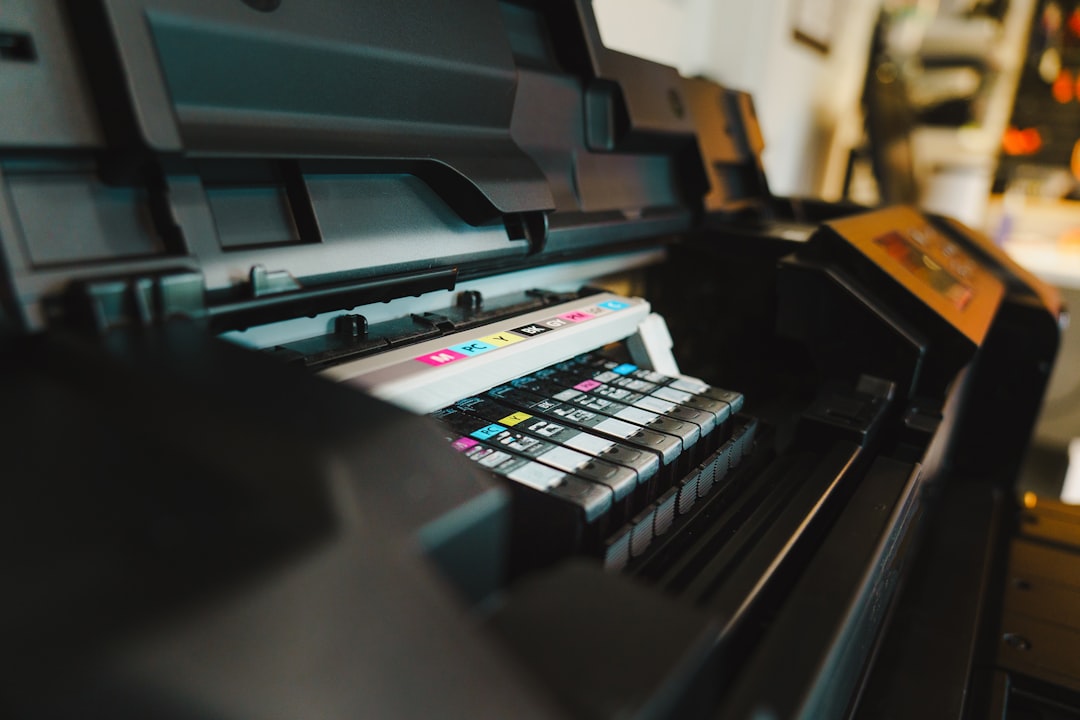
A full camera roll and a birthday this weekend can make a home printer feel indispensable.
The familiar crunch comes when a gift needs a photo tonight, or guests leave with memories still on their phones. A compact printer can turn that moment into a finished 4×6 in about a minute—without a pharmacy kiosk, delivery window, or last-minute dash across town. That immediacy has real value.
But the sticker price is only the opening bill. Dye-sublimation packs usually bundle paper and ribbon, making per-print costs predictable, yet a half-used pack can sit for months; inkjet cartridges may dry or demand cleaning cycles that consume ink. Small pocket prints also trade detail, tonal range, and permanence for charm. The sensible choice depends on print frequency, desired size, and whether convenience will be used often enough to outweigh media costs.
- Dye-sublimation printers apply a protective overcoat, helping resist fingerprints and splash damage.
- A printer that accepts standard 4×6 media generally makes more financial sense than one limited to tiny adhesive prints.
Pick the printer that fits the photos



The break-even is more than a print price
A low media cost does not automatically make a printer economical. The useful comparison is annual spend plus friction: how many photos are actually printed, which sizes matter, what a local lab charges, and whether collecting an order or waiting for shipping routinely prevents prints from happening.
For example, a household making 120 4×6 prints a year might compare a $0.35-per-print dye-sub refill cost with a lab’s $0.20 print price. The lab appears cheaper by $18 before allowing for shipping, minimum-order thresholds, or two missed trips to collect an order. If the printer costs $140, it will not pay back quickly on savings alone—but it may be worthwhile if those 120 prints become album pages, party favors, or same-day gifts rather than photos left on a phone.
Use the size that drives the decision
A pocket model can be excellent for small stickers and journal inserts, yet it is a poor substitute for regular 4×6 family prints. Conversely, the Canon Selphy CP1500, Liene M100, and Kodak Dock Plus make most sense when 4×6 printing is already habitual. The Liene Amber M110 has a stronger case where both standard photos and creative smaller formats are genuinely used.
Purchase for the last 12 months of behavior, not an imagined craft phase. Count lab orders, estimate the prints that were abandoned because ordering felt inconvenient, and price replacement media—not just the attractive starter bundle.
Multiply expected yearly prints by the difference between home-media and lab cost. Then ask whether on-demand access would reliably create enough useful prints to justify the printer’s purchase price. Convenience is value only when it changes what gets printed.
The dependable 4×6 album printer
01
Best for durable prints at home or on the go
The Canon Selphy CP1500 makes the most sense when a household prints photographs in batches rather than as occasional novelties: vacation albums, school portraits, holiday cards, and framed gifts. Its dye-sublimation process is built around finished 4×6 prints, with smaller square and label options for lighter creative jobs.
Instead of turning photo printing into an ink-management project, it uses matched paper-and-ribbon packs. That makes each run predictable and keeps the printer small enough to bring out for an event, then store away.
- Consistent, water-resistant 4×6 prints
- Paper and ribbon are supplied as matched sets
- Compact body suits occasional tabletop use
- Several direct-print routes reduce phone friction
- Requires Canon-specific paper-and-ribbon packs
- 4×6 is its practical center of gravity
- Not intended for enlargements or exhibition-grade fine-art media
- Per-print cost is less compelling for very high-volume printing
In brief For meaningful batches of standard photos, the CP1500 trades maximum flexibility for unusually dependable results. Its consumables are proprietary, but their fixed pairing makes costs and print quality easier to anticipate.
The CP1500 is the sensible home-photo purchase when 4×6 memories are printed often enough to matter. Dye-sublimation output is consistent, durable, and far less fussy than cartridge ink, while matched media packs make replenishment straightforward. It is not a route to large prints or textured fine-art papers, but for albums and gifts, that limitation is usually beside the point.
Best for generous starter paper and cartridge supplies
For families who want to move favorite phone photos into albums without learning a printer’s quirks, the Liene M100 is a straightforward 4×6 dye-sublimation choice. Wi‑Fi printing, borderless output, and support for iPhone and Android keep the workflow close to the camera roll; PC and Mac compatibility add flexibility for occasional organized projects.
Its strongest case is the box itself: the bundle includes 100 sheets and three color cartridges, enough to establish whether printed snapshots become a real household habit rather than a novelty. Dye-sub media is a sensible fit for handled family prints because the image is formed within the paper and finished as part of the printing process. Once that starter supply is gone, however, the value proposition changes. Recalculate current refill-kit cost per usable 4×6 print, including shipping and any leftover paper or cartridge capacity, before treating the initial bargain as its long-term running cost.
- 100 sheets and three cartridges included
- Simple Wi‑Fi phone-first printing
- Borderless 4×6 dye-sub output
- Also works with computers
- Refill cost needs reassessment after starter media
- Limited to 4×6 prints
- Glossy-paper workflow may not suit every project
Best for simple printing with built-in phone docking
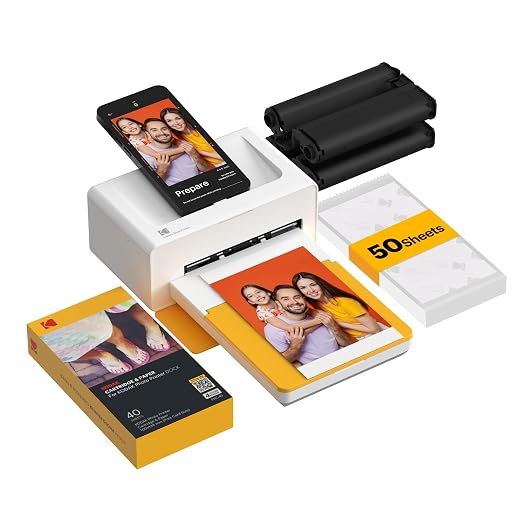
The Kodak Dock Plus is a 4×6 dye-sublimation printer built around a reassuringly direct ritual: place a compatible phone on the dock, let it charge, and make a finished print without turning a shared phone into a fiddly wireless setup. Its 4PASS process lays down color in successive passes and adds a protective overcoat, so the result is a glossy, handled-friendly snapshot rather than an inkjet print that needs care.
The dock is the reason to choose it—not a reason to ignore the running costs. It makes most sense in a household whose phones work smoothly with the dock arrangement and that can buy Kodak paper-and-ribbon bundles at a meaningfully lower effective per-print price. A low printer price alone does not establish a bargain once refills become the recurring purchase.
- Physical dock provides a simple, stable printing routine
- Charges a compatible phone while printing
- 4PASS prints include a protective laminated finish
- Compact footprint for a 4×6 printer
- Dock usefulness depends on the phone and connection arrangement
- About 55 seconds per 4×6 is not instant
- Glossy 4×6 output offers little format flexibility
- Refill value varies sharply by bundle price
Liene Amber M110 for photos and square stickers
Best for switching between photos and square stickers
The Amber M110 earns its place when a household genuinely moves between 4×6 keepsakes and 3×3 peel-and-stick prints. Scrapbook pages, party favor bags, place cards, and small gift add-ons often need a square image; printing those layouts on 4×6 stock means trimming away paid-for paper or settling for an awkward crop.
Its dual media arrangement makes format choice part of the workflow rather than a special detour. A 4×6 can go straight into an album, while a 3×3 sticker can become a captioned journal element or a quick party decoration. That flexibility has real value only when both outputs recur. For a single scrapbook weekend, ordering a few stickers elsewhere is usually cheaper; for ordinary batches of 4×6 family photos, a dedicated 4×6 printer remains the more focused purchase.
- Switches between 4×6 photos and 3×3 sticky-backed prints
- Square stock can avoid trimming and discarded 4×6 paper
- Dye-sublimation printing suits finished photo keepsakes
- Compact 2.9-pound body is easy to bring out for events
- Dual-format media costs can complicate refill comparisons
- A specialty format adds little for mostly 4×6 printing
- Not economical for a one-off craft project
- Sticker squares are too small for conventional album prints
Best for small peel-and-stick prints from your phone
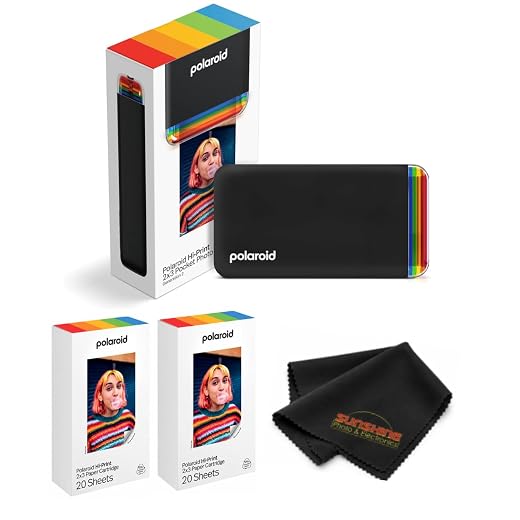
The Polaroid Hi-Print 2nd Generation turns phone photos into glossy 2×3-inch peel-and-stick keepsakes. It earns its place in travel journals, scrapbook pages, place cards, party favor stations, and fridge-door collages—situations where making and sharing a small physical photo matters more than building an album cheaply. This Everything Box starts with 40 sheets, so the creative use case can begin straight away.
- Dye-sub prints have a polished, photo-like finish
- Adhesive backs simplify journals, cards, and labels
- 2×3 format suits portable, spontaneous projects
- Bluetooth printing works with phones and tablets
- Small prints are not a substitute for 4×6 album photos
- Proprietary cartridge media makes high-volume printing costly
- Glossy sticker output is less suited to archival presentation work
- Requires the Polaroid Hi-Print app workflow
The costs that hide behind “per print”
A headline cost per print often assumes a full, correctly matched refill pack and ignores the first bundle. Included paper and cartridges can make an initial purchase look unusually cheap; the meaningful figure is the current price of the next media pack, divided by its stated yield.
Dye-sublimation printers simplify the arithmetic because each compatible pack pairs paper with a ribbon for a fixed number of prints. There is no separate ink-color imbalance to estimate. Still, sensible comparisons include:
- Shipping and small-pack premiums, which can erase a bargain refill price.
- Media system limits: a 2×3 sticky sheet, 3×3 square, and 4×6 print are not interchangeable value.
- Test prints, misfeeds, and reprints after crops, color adjustments, or app glitches.
- Convenience overprinting—making extras simply because the printer is nearby.
For the Selphy, Liene, Kodak, and Polaroid models, track purchases by finished keepers, not sheets consumed. Buying larger sealed packs only pays when they will be used before tastes, projects, or printer ownership change. Regular, small print sessions also reveal issues before an event batch turns into waste.
A last check before buying
-
Match the printer to the finished photo
Confirm the largest native size, not merely the app’s crop options: 4×6 suits albums, while 2×3 and 3×3 formats suit keepsakes, stickers, and journals. A printer that cannot make the intended display or album format soon becomes a novelty.
Good signsNative output that matches the photos worth keeping.Warning signsBuying pocket size for a 4×6-heavy album habit. -
Price the media available today
Check that refill packs are in stock from reputable sellers and calculate the current cost per completed print, including paper, cartridge, shipping, and tax. Starter bundles and promotional packs can conceal a much higher long-term rate.
Good signsEasy-to-source matched refills at a sustainable current price.Warning signsJudging lifetime cost from the box-included media. -
Test the route from phone to print
Verify support for the household’s phones, tablets, or computer, then inspect the app’s cropping, templates, color controls, and repeat-printing steps. Bluetooth, Wi‑Fi, and direct dock connections each remove different hassles; help with wireless photo-printer connection problems is worth reviewing before relying on Wi‑Fi.
Good signsA dependable connection and an editing flow that takes seconds.Warning signsAn app or pairing routine that turns each print into a chore. -
Plan for real-world use
A dock is valuable only if the relevant phone fits and charging is genuinely useful; portability also depends on AC-adapter size, battery options, and outlet access while traveling. For broader model comparisons, consult a printer-selection guide before checkout—small repeated frustrations are what send photo orders back to the lab.
Good signsPower, docking, and setup that fit actual outings and rooms.Warning signsAssuming “portable” means battery-powered or travel-ready.
Print for a purpose
A home photo printer earns its premium when prints become album pages, fridge notes, party favors, or gifts—not another digital backlog. The Canon Selphy CP1500 is the balanced default for dependable 4×6 printing. Choose the Liene M100 for a strong first-media bundle, the Amber M110 for stickers and squares, and the Polaroid Hi-Print for small adhesive keepsakes.
Before buying, check today’s refill price and compare a large lab order in a complete home printer buying guide. Convenience is valuable; unused prints are not.