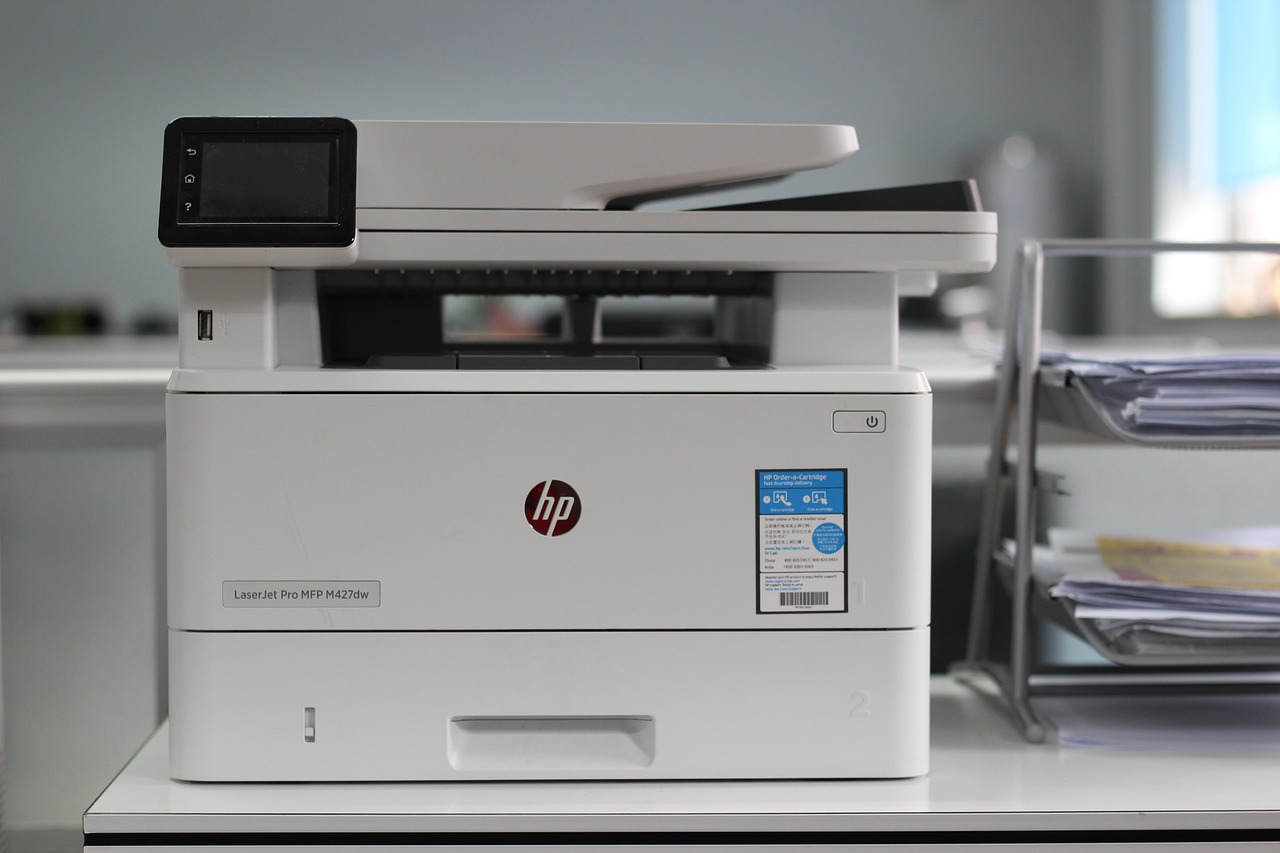
A duplex printer can still make someone turn every original over by hand.
The snag often appears with a stack of double-sided contracts: printing works on both sides without intervention, yet the scanner captures only the front of each sheet. “Duplex” is not a universal scanner promise.
In printer specifications, the term may describe the print engine alone—its ability to print on both sides of paper. Automatic two-sided scanning requires separate hardware: an automatic document feeder (ADF) that either scans both faces in one pass or reverses each sheet to scan the back. A flatbed scanner, meanwhile, almost always requires manual turning.
The decisive wording is “automatic duplex scanning,” “2-sided scan,” or “single-pass duplex ADF.” Without it, a multifunction printer may be excellent at duplex printing while offering only one-sided scanning, even if it has an ADF.
- A reversing ADF scans one side, turns the sheet internally, then scans the other; it is slower and can be harder on delicate originals.
- A single-pass duplex ADF uses two scan sensors, capturing both sides at once and reducing paper handling.
What “duplex scanning” actually means
- Duplex scanning
A scanner captures the front and back of each sheet as part of one scan job, producing paired page images in the correct order.
- Automatic document feeder (ADF)
The tray-fed mechanism that pulls a stack of pages through the scanner. Duplex capability applies to this feeder, not merely to the machine’s software.
- Single-pass duplex
Two imaging sensors read both sides simultaneously as the sheet travels through once. It is usually faster and gentler on originals.
- Reversing duplex
The ADF scans one side, turns the sheet over internally, then scans the reverse. It is still automatic duplex scanning, though slower.
- Manual two-sided scanning
A flatbed or one-sided feeder scans one face; someone must turn or reload the sheet and scan again. Both sides are captured eventually, but the process is not automatic duplex.
A device may offer software that combines two separately scanned images into one document. That feature can be helpful, but it does not make the scanner duplex.
The deciding question is simple: can the ADF capture both faces of a sheet without anyone touching, flipping, or reloading it? If not, it is manual two-sided scanning.
A duplex printer is not automatically a duplex scanner
It proves only that the print engine can turn paper over—or print both sides by another internal method.
Printing and scanning use different paper paths and hardware. A model may offer auto-duplex printing while its ADF scans one side only.
“Duplex” may describe printing alone unless the scan or ADF specification explicitly says “duplex scan,” “two-sided scan,” or “single-pass duplex.”
Retail listings often lead with the most marketable feature, not every workflow limitation.
Reversing ADFs scan one face, turn the sheet, then scan the other; single-pass units capture both faces in one pass.
Single-pass designs are typically faster and reduce handling, especially for large, mixed document batches.
Look for an explicit automatic two-sided scanning claim and a duplex scan speed, often shown as images per minute (ipm). If only duplex print speed appears, automatic two-sided scanning has not been confirmed.
Two ways an ADF captures both sides
A duplex-capable ADF does not necessarily scan both sides at the same moment. The mechanism matters because it shapes real-world speed, reliability, and cost.
Reversing ADFs: one sensor, two passes
A reversing automatic document feeder scans the first side, then changes the sheet’s direction and feeds it past the same scan sensor again for the reverse side. Some models pull the page almost fully through before reversing it; others use a more compact turnaround path.
This design is usually less expensive because it needs one imaging system rather than two. Its quoted duplex speed can be misleading, though: a “40 ipm” rating may mean 40 images per minute—only 20 double-sided sheets per minute. The extra movement also adds time and creates another opportunity for thin, curled, damp, or static-prone pages to misfeed.
Single-pass ADFs: two sensors, one trip
A single-pass or dual-scan ADF places one sensor above and one below the paper path. Both faces are captured as the sheet travels through once. A 40 ipm single-pass scanner can therefore process roughly 40 double-sided sheets per minute, assuming the rating applies to duplex work.
Because pages do not reverse, the path is generally gentler on originals and better suited to mixed, high-volume batches. It also reduces handling of fragile documents and lowers the chance that a page is rescanned or emerges in an unexpected order. That advantage does not eliminate jams—poorly prepared stacks can still skew or double-feed—but it removes the reversal stage as a failure point.
Practical rule: for occasional contracts or household records, a reversing ADF is often perfectly adequate. For frequent duplex batches, long archives, or delicate originals, paying more for a single-pass ADF usually buys meaningful time savings and smoother paper handling.
What a real duplex scan job looks like
-
Square and load the stack
Pages go into the ADF face-up or face-down according to the tray diagram, with guides tightened to the paper edges. Remove staples, sticky notes, and folded corners; a misfeed can separate front and back images or skew every page.
-
Select two-sided scanning
In the scan app or on the device panel, choose 2-sided, duplex, or both sides—not merely 2-sided printing. Set the binding edge correctly: long edge for portrait book pages, short edge for calendar-style originals.
-
Choose the output deliberately
PDF suits a multi-page record; JPEG or TIFF suits separate image files. Select the destination—email, network folder, cloud service, USB drive, or computer—and name the file before scanning if the workflow permits.
-
Set image and document options
Match resolution to the job: 200–300 dpi is usually sufficient for readable office records, while small type, archival work, or OCR may justify 300–600 dpi. Enable OCR only when searchable text is needed, since it adds processing time and can introduce recognition errors.
-
Start, then inspect the result
The ADF feeds each sheet and captures its two faces automatically. Before distributing the file, check page order, orientation, skipped sheets, and whether backs that should be blank were retained.
Device menus vary, but the essential setting is always an explicit two-sided scan mode.
A duplex ADF normally records both faces of every sheet. It does not automatically know that a reverse side is blank, nor that a stack contains a mixture of one- and two-sided originals.
Some software offers blank-page removal, but its threshold can discard faint pencil marks, light stamps, or bleed-through. For mixed stacks, test a few sheets first and review the output before deleting pages.
What should—and should not—go through the ADF
A duplex ADF is designed for loose, sound sheets that separate cleanly. Staples, paper clips, sticky notes, adhesive labels, folded corners, and wet correction fluid can cause jams or damage the feed path. Pages should be squared into a neat stack before loading.
Capacity is a practical limit, not merely a number on a specification sheet. A feeder rated for 50 sheets is usually rated using ordinary 75–80 g/m² office paper; heavier stock, curled pages, coated sheets, or small documents reduce the reliable batch size. The scanner manual also sets supported size and weight ranges, which can differ between simplex and duplex operation.
Keep batches compatible
Mixed batches can work, but only within the machine’s stated limits. Combining letter and legal sheets is commonly supported; mixing very narrow receipts, tiny cards, thick envelopes, or radically different paper weights is less dependable. Set the paper guides snugly, then test a few pages before committing an archive-quality stack.
Thin originals introduce a different problem: show-through. Text or images from the reverse side may appear faintly in the scan, especially with aggressive contrast settings. Descreening, background removal, or reduced contrast can help, but a flatbed scan with a backing sheet may preserve the original more faithfully.
Use the flatbed for photographs, fragile or torn sheets, glossy material, embossed items, passports, book pages, and anything bound. A book cannot be made duplex by forcing it through an ADF; each open spread must be captured separately.
If a page is brittle, curled, unusually thin, or valuable, scan it on the flatbed. A jam in a reversing ADF can crease or tear both sides of the sheet.
Specs that prove the ADF scans both sides
-
An explicit duplex-scan claim
The specification should say “automatic two-sided scanning,” “duplex ADF scanning,” or “2-sided scan.” “Duplex printing” belongs to the print engine and proves nothing about the scanner.
Look forAutomatic two-sided scanning stated in the scanner or ADF specifications.AvoidA product page that mentions duplex only beside print features. -
Separate simplex and duplex speed figures
A credible listing identifies speed by mode, such as 40 ipm simplex / 80 ipm duplex, and ideally states color or monochrome plus the test resolution. This makes comparisons meaningful.
Look forOne-sided and two-sided rates with mode, color, and resolution conditions.AvoidA single headline speed with no indication of scan mode. -
A clear definition of ipm
IPM usually means page images—or image sides—per minute, not physical sheets. At 50 ipm in duplex mode, a scanner may process 25 two-sided sheets per minute while creating 50 images.
Look forWhether the rate counts images, sides, or physical sheets.AvoidAssuming a 50-ipm duplex claim means 50 double-sided sheets per minute. -
ADF details that match the workload
Capacity and paper range do not establish duplex capability, but they matter for large packets. For heavy worksheet batches, a single-pass duplex ADF also avoids reversing originals and is usually faster.
Look forADF capacity, supported paper sizes, and “single-pass” if speed matters.AvoidTreating “50-sheet ADF” as evidence of automatic two-sided capture.
For frequent stacks of worksheets, record both two-sided sheets per minute and images per minute. A 60-ipm rating can describe 30 duplex sheets producing 60 page images—not 60 sheets.
This distinction is especially useful when comparing printers used to scan homeschool materials: a large ADF is helpful, but an explicit duplex rate under the intended color and resolution settings is the stronger buying signal.
A five-minute duplex check
Start with the model’s manual or technical specifications. Look for an ADF scan entry that explicitly says “duplex,” “two-sided,” or “single-pass”; a duplex print claim is not evidence.
Run a controlled test
Place one sheet in the feeder with a distinct mark on each face—for example, write “FRONT ↑” on one side and “BACK ↑” on the other. In the scan application, find the source or sidedness control and select 2-sided, duplex, or both sides. Send the job as a PDF, then inspect the result:
- It should contain two image pages from one fed sheet.
- Page 1 should be the front and page 2 the reverse, unless the application documents another order.
- Both pages should be upright; a reversed back page usually means the flip on long edge/short edge setting needs changing, not that duplex scanning has failed.
If no two-sided choice appears, test the manufacturer’s full driver or scan utility rather than a basic operating-system dialog. Feature visibility can change with a generic driver, an outdated package, a mobile app, or a scan-to-email/network profile. This is especially worth checking when wireless scan-and-print workflows stop working, since a network workflow may expose fewer controls than a USB-connected desktop application.
A feeder that pulls the sheet through only once and produces one page is simplex. One that pauses, reverses the sheet, and captures the other face is still automatic duplex—just slower than a single-pass design.
Automatic two-sided scanning exists only when the ADF is explicitly specified for duplex scanning. For occasional batches, a reversing ADF is usually adequate; for frequent or time-sensitive work, a single-pass ADF avoids the return pass and reduces handling. Use the flatbed for originals the feeder could damage.
Buy the scanner, not the label
- Match the mechanism to scan volume: reversing for modest loads, single-pass for sustained duplex work.
- Treat fragile, bound, and irregular originals as flatbed jobs.
Before buying, confirm duplex scanning in the ADF specification and check the stated duplex scan speed. A printer’s duplex-print claim, feeder capacity, or generic “scan” label is not proof that it captures both sides automatically.