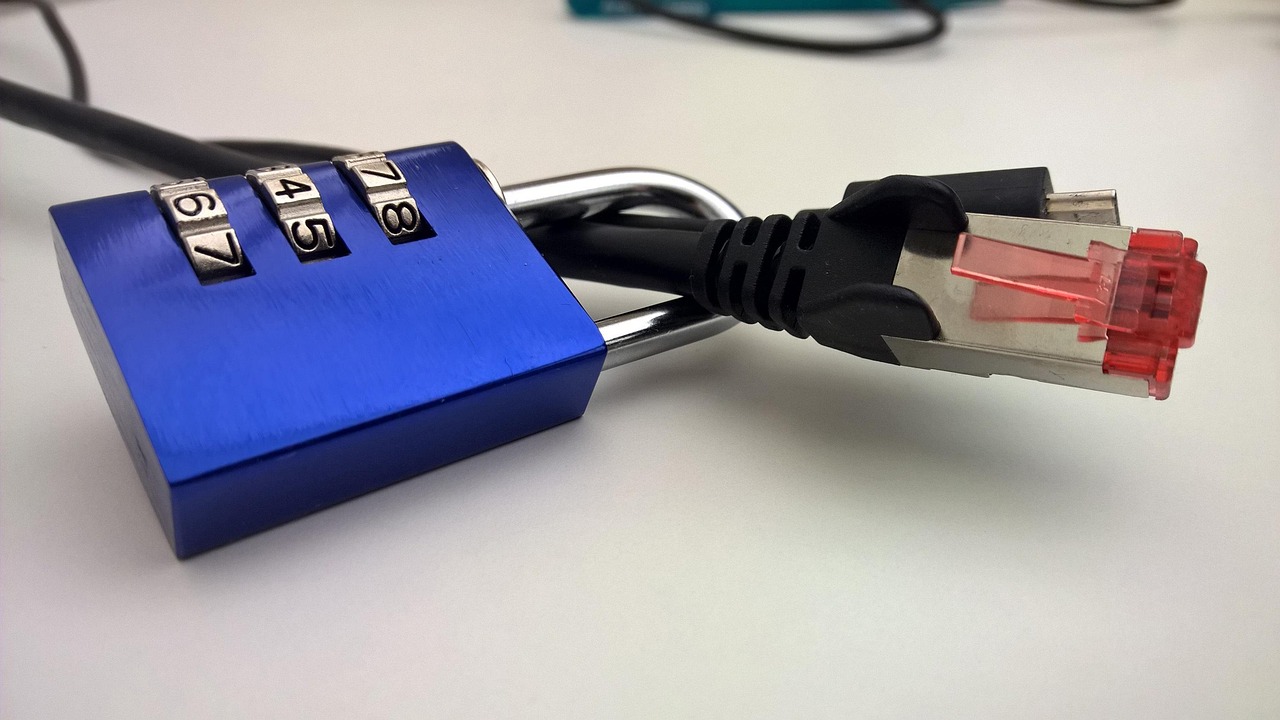
A security cable buys time—the one thing a grab-and-go thief does not want to spend.
A laptop left for the few seconds it takes to collect coffee, retrieve a printout, or answer a classroom question can disappear from a shared table. A cable lock makes that opportunistic lift slower, noisier, and conspicuous. It is a deterrent and delay, not a guarantee: a determined thief with tools, or an unsecured desk or chair as the anchor, can defeat the setup.
The right lock starts with the hardware already in place. Laptops may use the familiar Kensington standard T-bar slot, a slim nano slot, or a Dell-style wedge slot; a plug that nearly fits is not compatible. The other end matters just as much. Looping a cable around a sturdy fixed desk leg is useful, while a lightweight chair or removable table component offers little protection. Cable locks work best alongside full-disk encryption, a strong sign-in method, automatic screen locking, backups, and device-location or recovery measures. In a café, library, coworking desk, or open office, those layers turn a brief absence into a far less easy loss.
Match the lock head before the price tag


| Slot fit | Access | Cable | Best use | Approx. price | ||
|---|---|---|---|---|---|---|
|
Kensington Universal 3-in-1 Combination Laptop Lock
Most versatile
|
Standard, nano, wedge | 4-digit combination | Carbon steel | Mixed device fleets | – | View |
|
Kensington T-Bar Combination Laptop Security Cable
Standard-slot value
|
Standard T-Bar | 4-digit combination | 6 ft carbon steel | Standard-slot laptops | – | View |
|
Kensington N17 Dell Laptop Combination Security Lock
Dell wedge fit
|
Dell wedge | 4-digit combination | Carbon steel | Dell wedge devices | – | View |
A cable lock buys time, not immunity
The anchor and lock head are usually the decisive weak points.
A stout cable achieves little when it loops around a lightweight chair, a removable table leg, or a desk fitting that can be unbolted. The lock head must also sit fully seated in the laptop’s slot; a poor fit can leave room for twisting or prying.
It primarily delays a grab-and-go theft.
Given privacy, tools, and time, a determined thief can attack the cable, anchor, or device itself. Locks work best where people are nearby, staff circulate, and absence is brief.
The anchor needs to resist lifting, leverage, and disassembly.
A purpose-built desk anchor or a heavy, permanently fixed metal frame is stronger than furniture that can be moved, separated, or slipped through the cable loop.
In shared offices, libraries, and classrooms, a well-fitted lock tied to a genuine anchor makes the quick theft difficult and conspicuous. It does not replace keeping the laptop within sight, taking it along for long breaks, or protecting sensitive data with full-disk encryption.
Know the slot before choosing the lock
T-bar / K-slot
The familiar Kensington Security Slot is a 7 × 3 mm opening that accepts a T-bar head, which turns behind the chassis wall. It is the straightforward match for a dedicated standard-slot cable such as the Kensington T-Bar Combination model—but only when the laptop’s specifications explicitly identify a K-slot.
Nano slot
A Nano Security Slot is substantially smaller, commonly about 2.5 × 6 mm, and appears on many thin laptops. A standard T-bar head will not fit; confirm the model’s documented slot type rather than inferring it from a small opening near a port.
Dell wedge slot
Dell’s wedge-style security slot takes a wedge-shaped lock head, including the N17 Dell lock. It is not interchangeable with a K-slot or Nano lock, even where the openings look broadly similar in product photos.
Universal lock head
A 3-in-1 design with interchangeable T-bar, Nano, and wedge tips is practical for mixed desks, loaner pools, and changing fleets. For one known slot type, a dedicated head is simpler, with fewer parts to track and less chance of fitting the wrong tip.
No security slot
Do not force a cable head into USB, display, or ventilation openings. Consider locking options for laptops without a security slot, such as a purpose-made adhesive anchor or a locking enclosure, and assess the mounting surface as carefully as the cable.
One lock for changing laptop fleets
01
Best for mixed laptop fleets and shared workspaces
The Kensington Universal 3-in-1 Combination Laptop Lock is the sensible shared-space choice when the next laptop at a hot desk may have a completely different security slot. Its interchangeable lock heads cover standard Kensington, Nano, and wedge-shaped slots, so one cable can move between brands and generations rather than becoming obsolete with a hardware refresh.
A resettable four-digit dial also avoids the key handoff problem common in rotating teams and multi-brand households. It is most compelling where the slot type is uncertain or varied; for a single known slot, a dedicated-head lock is the simpler, less fiddly purchase.
- Interchangeable heads fit standard, Nano, and wedge slots
- Resettable four-digit combination suits rotating access
- Carbon-steel cable from an established lock specialist
- Five-year manufacturer warranty
- Extra heads must be retained and fitted correctly
- More setup than a dedicated single-slot lock
- Combination access is less suitable for tightly controlled key management
Quick take A practical consolidation lock for environments where device compatibility changes often. Its flexibility earns the small trade-off in parts management.
For shared desks and mixed-device collections, this is the cable lock that prevents compatibility from becoming an administrative chore. The interchangeable heads provide useful insurance against changing hardware, while the resettable combination makes handoffs straightforward. It is not the leanest option for one permanently assigned laptop, but it is the strongest all-round choice when slot types vary.
Kensington T-Bar Combination Lock for familiar K-Slot laptops
Strong standard-slot protection at a lower price
For a laptop fleet made up of conventional Kensington Security Slot devices, this is the uncomplicated everyday lock: a resettable four-digit combination cable with Kensington’s familiar T-Bar head.
It suits assigned desks, library tables, training rooms, and meeting spaces where staff need a straightforward routine—loop the six-foot cable around a fixed anchor and lock the device before stepping away. Compatibility is a hard line, however: this head is for the standard rectangular K-Slot only. It does not fit Nano Security Slots or Dell wedge slots, so newer thin laptops and many Dell or Alienware models need another lock head.
- Push-button T-Bar is quick to attach during routine desk use
- Resettable four-wheel code avoids distributing and recovering keys
- Six-foot cable gives practical reach around common fixed anchors
- Fits the widely used conventional Kensington Security Slot
- Incompatible with Nano Security Slots and Dell wedge slots
- A combination must be managed carefully in shared environments
- Standard cable locks deter casual removal rather than determined attack
Kensington N17 for confirmed Dell wedge slots
Purpose-built protection for Dell wedge-slot devices
The Kensington N17 is a purpose-built combination cable lock for Dell laptops and tablets fitted with the wedge-shaped Noble-style slot. Its lock head is shaped to engage that opening directly, rather than relying on a K-Slot or Nano adapter that may not seat correctly.
That specificity is its value in a Dell-standardized desk bank, classroom, or checkout area: a correctly matched head reduces wobble and makes it harder to exploit a poor fit. The four-wheel code also avoids distributing keys among rotating staff. Before ordering, the device’s slot should be checked against Dell’s documentation or the N17 compatibility listing; many Dell models use other slot formats, and the N17 cannot cover them.
- Dedicated wedge head fits compatible Dell slots rather than adapting a standard lock
- Resettable four-wheel combination supports shared-device access without key custody
- Carbon-steel cable provides a credible deterrent against casual cable cutting
- Compact head suits Dell systems where a larger lock could obstruct nearby ports
- Works only with compatible Dell wedge-slot devices; it is not a cross-fleet standard
- Combination codes can be shared, forgotten, or observed in busy communal areas
- A strong lock head still depends on a solid desk anchor and sensible unattended-time policy
- No key override may complicate recovery when the code is lost
AOMGD two-pack for basic standard-slot deterrence

A budget-friendly pair for basic laptop deterrence
At roughly $10 for two locks, the AOMGD set makes sense where the goal is to discourage a quick grab rather than secure a high-risk workstation. Each lock uses a four-digit combination and a steel cable, giving two conventional laptop setups—such as a student desk and a shared-office hot desk—a simple way to stay tethered without managing keys.
Its appeal is practical coverage: two devices can be secured at once, or one lock can remain at a second location. Before relying on either cable, confirm that the laptop has a standard Kensington-style slot; it is not presented as a Nano, Dell wedge, or universal-slot solution. For expensive laptops or equipment left unattended for long periods, a more proven lock and a stronger overall security plan remain the safer choice.
- Two locks for about $10
- Four-digit codes avoid key handling
- Useful for two standard-slot devices
- Simple option for occasional tethering
- Compatibility is limited to standard slots
- Combination dials should be tested repeatedly
- Inspect cable, lock head, and finish on arrival
- Seller return terms merit checking before deployment
Make the anchor harder to defeat than the cable
-
Choose something that cannot travel
A bolted desk frame, structural table leg, or purpose-installed desk anchor is credible. Avoid chairs, rolling pedestals, display stands, and anything a thief can simply lift and carry with the laptop.
-
Loop around the fixed structure
Pass the cable around a closed, immovable section of furniture—not a removable drawer, cable tray, or adjustable component. Keep the loop tight enough that it cannot be slipped over an end.
-
Reduce slack and leverage
Excess cable gives cutters room and lets the laptop be swung against the anchor. Route it low and close to the device, with the lock head positioned near the desk surface.
-
Keep the lock head out of striking range
Do not leave the head hanging at the desk edge or resting on a hard floor. A tucked-in position makes hammering and twisting awkward while reducing accidental knocks.
-
Make interference obvious
Route the cable where staff or nearby occupants can see it. For laptop protection away from home, visibility matters: a noisy, conspicuous attack is often the real deterrent.
A cable secured to weak furniture inherits the weakness of that furniture.
A solid-looking table is not automatically secure. Many shared-space tables have detachable tops, lift-off modesty panels, or legs joined by accessible bolts. Before relying on one, check whether the cable can be slipped over an end or whether a single exposed fastener releases the anchored section.
A properly installed desk anchor is often the better choice when furniture construction is uncertain.
A final fit check prevents the expensive mistake
-
Test the actual slot and its surroundings
Match the lock head to the laptop’s documented slot, then inspect photos or the device itself for nearby USB-C, HDMI, charging, and ventilation clearance. A correct slot type can still be impractical if the lock body blocks a needed port or forces a sharp cable bend.
ConfirmA head that seats fully while leaving daily-use ports accessible.Watch forBuying by brand or slot name alone without checking physical clearance. -
Plan the cable’s daily path
Identify a fixed desk leg, purpose-made anchor, or immovable frame that cannot be slipped free. Measure the route with the laptop placed where it is used; excess slack permits leverage, while a too-short cable encourages staff to skip locking it.
ConfirmA direct route to a genuinely fixed anchor with manageable slack.Watch forLooping around lightweight furniture, removable panels, or cluttered walkways. -
Choose access control that suits the people using it
Combination locks avoid key handoffs, but a shared code needs an owner, a change process, and prompt replacement after staff turnover. Keyed fleets need a recorded key number and a clear route for ordering spares; a missing key can mean cutting off a working lock.
ConfirmNamed code or key custody, plus documented replacement details.Watch forA code known to everyone or unrecorded keys with no recovery plan. -
Check the extras before standardizing
For carts, monitors, docking stations, or mixed laptop fleets, verify whether each device needs a separate compatible head, adapter, or anchor accessory. Universal heads reduce mismatch risk, but only if their interchangeable parts are retained and each device’s port clearance remains usable.
ConfirmIncluded accessories and a practical plan for multi-device storage.Watch forAssuming one cable automatically secures every device in a shared setup.