
The percentage beside an education offer is not the number that matters.
A laptop marked “10% student off” can still cost more than a weekend promotion once the exact configuration reaches checkout. Education stores often exclude freshly released GPUs, high-demand gaming lines, clearance machines, doorbuster bundles, or models already carrying a markdown. The discount may apply only to the base laptop, not upgraded RAM, storage, warranty, accessories, shipping, or tax.
Verification can also change the deal. Some programmes require a university email or third-party approval, limit purchases per academic year, and block coupon codes, cashback portals, trade-ins, or financing offers. Compare the final, like-for-like cart total—not the education percentage against MSRP. A public sale may include a free mouse, game bundle, or lower-price configuration that quietly wins on value.
- Check whether the discount is calculated from MSRP or the current selling price.
- Save a cart screenshot: regional pricing and student eligibility can change after verification.
- Compare identical CPU, GPU, RAM, SSD, display, and warranty terms before declaring a winner.
- Model exclusions New GPU releases and limited-stock gaming models are commonly excluded, even when the education storefront displays them.
- Stacking limits Student pricing frequently will not stack with promotional codes, affiliate cashback, trade-in credit, or financing incentives.
- Bundle math A bundle’s included peripherals or games have value only if they would otherwise be purchased; compare cash totals first.
Who can use a student laptop discount
- Current students
Most programs accept an active school email or enrollment record. Part-time and graduate students usually qualify, but some stores exclude continuing-education courses.
- Incoming students
An acceptance letter, enrollment deposit, or institution-issued student ID may work before an academic email is activated. Approval is retailer-specific.
- Parents and guardians
Some education stores permit a parent purchasing for an eligible student; others require the student to complete verification or place the order.
- Faculty and staff
Teachers, researchers, and school employees often fall under education pricing, though eligibility may differ from student-only promotions.
- International students
Verification can depend on the store’s selling country, local institution database, and billing or shipping address. A valid foreign student ID is not universally accepted.
Academic-email checks may be instant, while credential uploads and services such as UNiDAYS or SheerID can take longer. Do not treat the displayed total as final until verification succeeds and the exact gaming-laptop configuration remains eligible.
A rejected check can remove the discount after checkout, especially when an account, delivery country, or purchaser name does not match the verification record.
Choose the campus-friendly performance tier first
A gaming laptop that suits college life should handle course software, current games, and daily carrying without turning every lecture day into a logistics exercise. A modest discount on an overbuilt machine is rarely the cheaper choice in practice.
An RTX 4050 laptop GPU is capable for 1080p gaming, but its 6GB of VRAM can constrain demanding newer games and creative workloads. The RTX 4060’s 8GB makes it the more durable choice when the final discounted price is reasonably close; check the listed GPU power limit, since a low-wattage version can trail expectations.
A 14- or 16-inch chassis around 2–2.4kg, with a 70Wh-or-larger battery and USB-C charging support, is usually realistic for campus. Gaming on battery is power-limited regardless, but USB-C charging can cover lectures without packing the full power brick.
RTX 4070-class and above machines can benefit GPU-heavy rendering, engineering, or high-refresh gaming, yet they commonly bring thicker cooling systems, louder fans, shorter light-use endurance, and 17- or 18-inch bags. Their premium is justified by recurring workload, not benchmark curiosity.
Turn promotions into a real price
A 10% education discount and a $150 coupon are only comparable after applying both to the same configuration. On a $1,500 laptop, 10% removes $150. On a $2,100 model, it removes $210—but only if the model is eligible and the percentage applies to that price.
Use this quick calculation:
- Start with the lowest publicly available price for the identical SKU.
- Subtract one permitted discount or coupon.
- Add required membership cost, shipping, and any accessories not included.
- Give bundles a value only when the included item would otherwise be bought.
A “free” headset is not a $100 saving for someone who already owns one. Likewise, member-only access has a cost if the annual fee is being paid solely for the laptop. Checking student pricing on Lenovo Legion laptops alongside ordinary retail listings makes inflated reference prices easier to spot.
Read the education-store fine print
Education pricing is frequently attached to a particular catalog entry, not an entire laptop family. A base Legion may qualify while an OLED panel, higher-memory build, newer GPU, customized configuration, or clearance SKU does not. The product page and cart must name the exact configuration before its discount can be treated as real.
Most stores also impose guardrails. Common limits include one or two computers per academic year, a maximum discount amount, no business purchases, and exclusions for gift cards, protection plans, refurbished units, or marketplace sellers.
The largest trap is non-stackability. Many education stores replace a current sale price with an education price rather than subtracting the student rate from it. Compare both final carts, including delivery dates and return terms, then take the lower total. A small student saving can lose to a public flash sale with faster shipping or a useful included accessory.

This Amazon configuration lists at about $2,100. Its value depends on a discount applying to this exact SKU.
It combines an i9-14900HX, RTX 5070 8GB, 32GB DDR5, and 1TB Gen4 storage. The 15.1-inch WQXGA OLED is a premium specification that may sit outside base-model student offers.
Check the signed-in price against the open sale
A retailer’s student portal is best treated as a separate price view, not a promise of the lowest deal. It may unlock a private coupon, early access, financing, or an education-only configuration. It can also hide a stronger public markdown behind sign-in.
Use the same comparison every time:
- Copy the exact manufacturer model number from the public listing and the student portal. Match RAM, SSD, screen, GPU, and color where they affect the SKU.
- Put each version in a cart separately. Record the item price, shipping, mandatory fees, discount code, and any gift-card condition.
- Advance both carts to the tax estimate page using the same delivery postcode. Compare pre-tax totals to judge the offer, then compare post-tax totals to judge the actual charge.
A student price that beats the public listing by $40 can lose once a public coupon or free bundle appears. Conversely, a student-only SKU may be cheaper because it has less memory or storage. Neither result is meaningful until the specifications match.
Check Best Buy education savings alongside its clearance prices in separate carts. Clearance stock is often a different SKU, and student discounts may not stack. Save screenshots showing the model number and final total before stock or verification status changes.
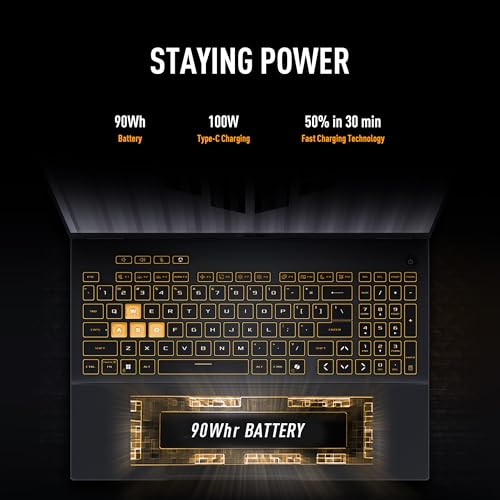
Amazon lists this configuration at about $1,250. That figure is a useful public-cart benchmark, not a student-price verdict.
Match its model number before comparing any education offer. A lower-priced F16 may carry different memory, storage, or graphics.
Calculate the price that actually leaves the account
-
Start with the eligible laptop price
Use the exact SKU, configuration, and storage/RAM option approved for the student offer. A headline discount may apply only to the base model, not the upgraded machine in the cart.
-
Separate instant savings from money claimed later
Subtract verified student reductions and usable promo codes first. Record rebates separately: they may require a submission deadline, serial number, and approved purchase date, and they do not reduce the amount charged today.
-
Add every required checkout cost
Include shipping, delivery-address sales tax, and any membership fee needed to access a members-only price. Check whether a “free” trial renews before treating it as free.
-
Price protection plans and bundles item by item
A protection plan is an extra purchase, not a discount. Value games, software, mice, or headsets at the price they would actually cost elsewhere—not at the bundle’s claimed MSRP—and count only items that would otherwise be bought.
-
Keep two totals: due today and final ownership cost
The first total includes tax and shipping; the second also includes membership, selected coverage, and any rebate still at risk. This comparison exposes whether a seemingly cheaper bundle is genuinely better value.
Save the final cart, offer terms, and rebate instructions before placing the order; pricing and eligibility language can change quickly.
Compare the total of all payments, not the advertised monthly figure. Interest-bearing plans, deferred-interest offers, and longer terms can erase a student discount; deferred interest may be charged retroactively if the balance is not cleared on time.
A 0% plan can be useful only when its cash price matches the best verified cash checkout total and every payment can be made before the promotional deadline.
Usually not. Checkout systems commonly apply either the student rate or the sale rate, rather than adding both.
Compare completed carts, not headline percentages. A student code may still combine with free shipping or a gift, but often excludes markdowns, clearance, bundle codes, and affiliate offers.
Cashback is a tracked, delayed reward that may be denied if the referral path, SKU, or purchase terms fail.
Activate it only after confirming student verification and portal eligibility. An uncertain payout should not justify a higher upfront total.
Its value depends on inspection, quoted condition, serial-number acceptance, and whether the offer pays credit rather than a refund.
Use the guaranteed cash total as the comparison baseline. Similar restrictions appear in gaming laptop military discount programs, where eligibility and promo exclusions can also change the cart.
Time the purchase without losing the laptop
Back-to-school events often bring education-only bundles—extra storage, a mouse, software, or a gift card—rather than the deepest cash discount. Their value matters only if the included item would otherwise be bought.
Black Friday and holiday sales can undercut student pricing, while new GPU or CPU launches may reduce outgoing-model prices. Clearance is strongest when the exact SKU has sufficient RAM, SSD capacity, screen quality, and warranty coverage; it is risky when only unpopular configurations remain.
A sensible wait requires a verifiable lower final price, not a hopeful headline. It should not mean accepting a weaker display or lower-TGP GPU, losing a comfortable return window, or missing the last available configuration. Price tracking, saved cart screenshots, and checking the manufacturer model number prevent a “sale” from becoming a specification downgrade.
Run one last check before placing the order
-
Match the exact machine
Confirm the retailer model number, CPU, RAM, SSD, screen, and GPU—not just the series name. For NVIDIA laptops, verify the stated GPU TGP; similarly named models can perform very differently.
-
Save the evidence
Keep screenshots of the signed-in cart, discount terms, configuration page, tax total, and promised delivery date. Save confirmation emails and any verification approval.
-
Read the exit terms
Check return-window length, restocking fees, opened-box rules, and whether an exchanged unit keeps the student price. Inspect whether bundled games, accessories, or gift cards must be returned or repaid.
-
Check warranty ownership
Confirm the manufacturer warranty, accidental-damage coverage, international service limits, and whether student membership affects support.
-
Leave room for a later adjustment
Record the retailer’s price-match policy and deadline. Many policies exclude clearance, member-only, student, coupon, marketplace, and launch offers.
A low advertised price is only useful when the documented configuration and exit terms match it.
- A screenshot of the final cart can matter as much as the discount code.
- A price-match promise is valuable only when its exclusions fit the purchase.
The safest student deal is a documented deal on the exact configuration, with acceptable return, warranty, and bundle conditions. Final verification prevents a small discount from becoming an expensive mistake.