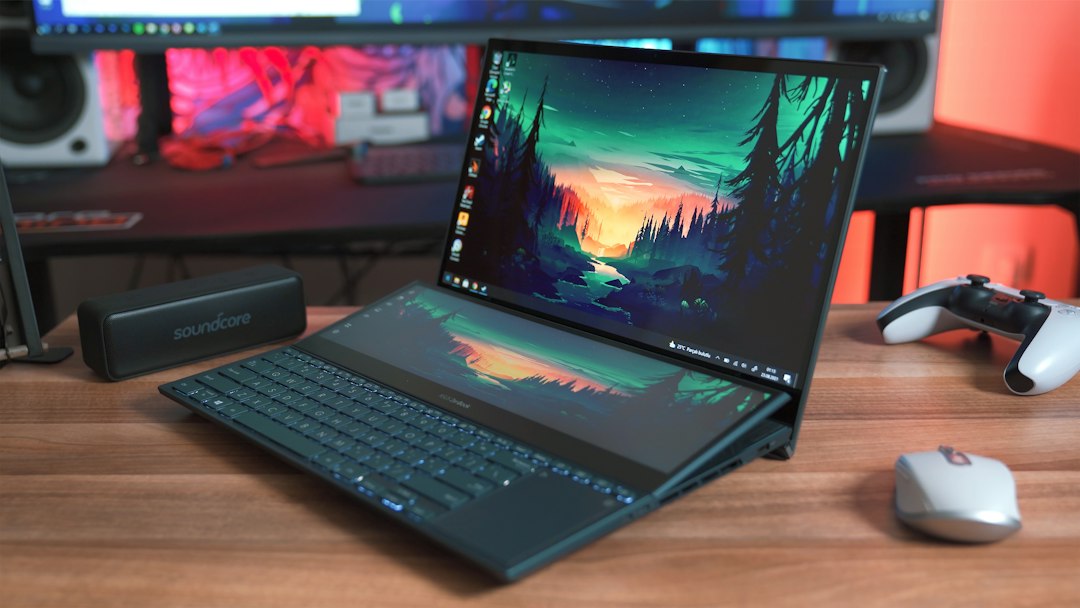
A flagship GPU at a midrange price is tempting—until the missing history becomes the expensive part.
A refurbished laptop listing can promise an RTX-class GPU, a fast display and a dramatic price cut, yet reveal almost nothing about the machine’s hardest years. Was it docked at 95°C for daily gaming? Has its battery already lost a third of its capacity? Was a cracked hinge merely replaced, or was the chassis properly inspected for stress?
Those questions matter more in gaming laptops than in many other refurbished devices. Their tightly packed cooling systems, high-wattage power delivery and lithium-ion batteries endure real wear. Savings are only genuine when the seller has tested the parts that fail under load—not merely confirmed that the laptop boots. A clear grading standard, battery-health figure, return window and meaningful warranty turn a bargain into a defensible purchase; vague “refurbished” language can turn it into an expensive repair project.
- A battery health report should state remaining capacity, ideally above 80% of its original rating.
- Prefer at least a 90-day warranty; one year offers far better protection for GPU, display and motherboard faults.
Worth It Only When the Savings Are Real
- Proof matters A refurbished gaming laptop earns its place when it has been stress-tested, its battery and cooling system are documented, and the seller stands behind the repair work.
- Life left Its remaining useful life should suit modern games: adequate GPU performance, upgradeable memory or storage where possible, and no signs of chronic heat or power issues.
- Compare totals Compare the delivered price—not the sticker price—with new-sale models. Include tax, shipping, warranty extensions, a possible battery replacement, and the cost of missing accessories.
- Discount threshold A modest reduction is rarely enough for an older machine with a short warranty, worn battery, or an RTX/GTX generation that is already near the settings floor for current games.
A refurbished unit can be the smarter buy when verified condition, meaningful warranty cover, and a clearly lower all-in price offset its shorter expected life. If a similarly capable new laptop is only slightly more expensive—especially during sales—the new machine usually offers better battery longevity, manufacturer support, and resale value.
A label is not a condition report
Refurbished
Means a unit was returned, repaired, or prepared for resale; it does not prescribe a universal inspection list, cosmetic standard, or part-replacement policy.
Renewed
Usually signals a marketplace program or seller promise, not a distinct hardware condition. The meaningful details are the seller, warranty, and return terms.
Certified
Can imply a formal process, but the certifier matters. A manufacturer certificate and a retailer badge are not equivalent unless both publish the same checks.
Open-box
Often describes an opened return with little use, yet it may still have missing accessories, a prior fault, or no meaningful diagnostic work.
Manufacturer refurbished
This route is generally more predictable because the maker has parts, diagnostics, and model-specific repair procedures. Still, look for a written test list, replaced-part disclosure, battery standard, and warranty—not the logo alone.
Compare frames, not the old list price
Original MSRP is a poor yardstick. Laptop parts age unevenly, and a three-year-old flagship can lose to a sale-priced new midrange machine with a newer GPU, full warranty, and fresh battery.
Start with the exact GPU and its power limit. An RTX 4060 configured near 140W can perform far ahead of the same chip capped around 80W. Confirm the model’s wattage, then compare independent game benchmarks at the intended resolution. VRAM matters too: 8GB remains workable for 1080p and many QHD settings, but demanding new games increasingly need texture compromises.
The supporting hardware determines whether those frame rates remain consistent:
- CPU: Modern six- or eight-core chips prevent frame-time dips in CPU-heavy games.
- Memory: 16GB is the floor; dual-channel 32GB adds useful headroom.
- Display: Check brightness, color coverage, response time, and resolution—not just a 144Hz or 240Hz badge.
- Storage and cooling: A 1TB NVMe drive is practical. Clean fans, healthy heat pipes, and stable sustained clocks matter more than a brief benchmark peak.
Buy refurbished only when a like-for-like new-sale laptop costs materially more after tax and warranty differences. A modest discount rarely covers shorter protection, battery uncertainty, and an older platform. As a practical rule, the refurbished price should be at least 20–30% below a new machine delivering similar tested frame rates.

This renewed G17 pairs a Ryzen 9 7845HX with an RTX 4060, 16GB DDR5, and a 1TB SSD. Its 17.3-inch QHD 240Hz panel suits competitive games and high-refresh play.
At about $1,500, it needs careful comparison with discounted new RTX 4060 and RTX 4070 laptops. Confirm its GPU wattage, battery report, and return terms before treating the QHD panel as added value.
- Processor
- Ryzen 9 7845HX
- Graphics
- GeForce RTX 4060
- Memory
- 16GB DDR5
- Display
- 17.3-inch QHD, 240Hz
Wear that costs more than it looks
Light lid scratches, polished keycaps, and worn palm rests are usually cosmetic. They may justify a lower price, but they rarely affect frame rates or lifespan.
The expensive problems are often revealed under load or while moving the machine:
- Battery: rapid percentage drops, unexpected shutdowns, or a swollen chassis mean reduced portability and a possible replacement.
- Thermals: fans that roar immediately, hot exhaust at idle, or sharp clock-speed drops in a game can point to dried paste, blocked fins, or a tired fan.
- Charging and hinges: a loose DC-in socket, intermittent USB-C charging, or a hinge that binds can require chassis-level repair.
- Liquid and panel damage: corrosion, sticky keys, flickering, bright spots, dead pixels, and backlight bleed can be far costlier than a cosmetic blemish.
A brief game or benchmark test matters: watch temperatures, fan behavior, clock speeds, battery drain, and display stability—not merely whether the laptop boots.
A bulging battery, corrosion around ports, or moisture indicators triggered inside the chassis can signal safety risks and hidden board damage. A discount rarely covers that uncertainty.
Test the machine, not the promise
-
Match the listing to the hardware
Before payment or immediately on arrival, compare the model number, CPU, GPU, RAM, SSD capacity, screen resolution and refresh rate with the listing. Check GPU-Z or HWiNFO for the exact graphics chip and its power limit; similarly named laptop GPUs can perform very differently.
-
Inspect the physical weak points
Examine ports, charger fit, hinges, underside screws and vents under bright light. A swollen chassis, corrosion, missing screws, or a fan that scrapes on startup can signal damage beyond ordinary cosmetic wear.
-
Test the panel properly
Display solid black, white, red, green and blue screens at full brightness. Look for stuck pixels, uneven backlight, flicker, image retention and pressure marks; then confirm the advertised refresh rate in the operating system.
-
Stress cooling and stability
Run a demanding game or repeatable CPU-and-GPU benchmark for 20–30 minutes while logging temperatures and clock speeds. Sudden throttling, fan surging, visual artifacts, driver resets, blue screens or shutdowns are return-worthy faults, not quirks.
-
Use the return window actively
Over the first several days, test sleep/wake, Wi-Fi, webcam, every port, keyboard zones, speakers and battery discharge. Save screenshots of specifications and logs; evidence makes a mismatch or intermittent crash far easier to resolve.
Avoid opening the chassis until return terms and any warranty seals have been checked.
Protection can erase a bargain
A refurbished gaming laptop is only as safe as the party standing behind it. Manufacturer-certified outlets are usually the strongest option: they have parts access, standardized diagnostics, and a clear repair path. Established specialist refurbishers can be close behind when they publish testing standards and handle warranty claims directly.
Marketplace listings deserve more caution. A platform may provide a return process, but the individual seller can still be responsible for diagnosis, shipping, and disputes. Private sales are cheapest precisely because there is often no enforceable remedy after handover.
Check the outcome, not just the warranty length
A 90-day warranty is useful only if it covers the failure most likely to emerge under gaming load. Before purchase, confirm:
- Who pays return shipping, including for a no-fault return and a confirmed defect.
- Whether the remedy is repair, replacement, refund, or seller choice. Repair-only coverage can mean weeks without a machine.
- Exclusions for batteries, chargers, screens, hinges, overheating, cosmetic damage, and “software issues.” These can conceal costly hardware disputes.
- Whether opening the chassis for an SSD or RAM upgrade voids coverage.
- The return window’s condition rules: restocking fees, original packaging, and deadlines that start at delivery rather than first use.
Treat a weak policy as a price increase. A $150 saving disappears quickly if a failing battery, noisy fan, or intermittent GPU becomes the buyer’s repair bill. For a high-value gaming model, a longer return window and accountable seller can justify paying slightly more.
Buy the seller before the laptop
A sensible hierarchy starts with the manufacturer’s own refurbished store, followed by authorized business resellers with documented testing and a written warranty. Next come major retailers selling certified units with straightforward returns. Marketplace listings belong last unless the actual refurbisher, inspection report, serial number, and remedy terms are independently verifiable. For sources that pair certified stock with meaningful protection, the key evidence is not a “refurbished” badge but who performed the work and who pays when it fails.
Open-box stock is often the safer buy when its discount is modest—roughly 5–15% below new sale pricing—and it retains the full manufacturer warranty. It was typically returned for preference, fit, or packaging damage rather than repaired after a fault. A refurbished machine can still be the better value, but only when its discount clearly covers its shorter warranty, uncertain prior stress, and lower resale value. The practical open-box versus repaired-stock comparison is therefore about traceability and protection, not condition labels alone.
The badge matters less than the build
A Lenovo Legion is often the safer refurbished bet not because of its logo, but because many generations use robust cooling, standard M.2 storage, replaceable RAM, and readily available 230–300 W chargers. That advantage disappears if the exact model has a low-power GPU, a worn battery, or a missing original high-wattage adapter.
A Razer Blade can offer a premium metal chassis and excellent display, yet its thin design gives heat, battery swelling history, and costly proprietary repairs more weight. It needs a deeper discount than a similarly equipped Legion—especially once the warranty has ended.
Alienware systems vary sharply by generation. Larger models can cool high-wattage GPUs well, but are heavy, and their power bricks, hinges, and Dell-specific parts affect ownership cost. Check the service tag, GPU wattage, charger part number, and whether fans, battery, keyboard, and display are obtainable before assigning value.
Rule of thumb: the harder a machine is to cool, charge, or repair, the larger the discount needed to justify refurbishing risk.
Is a refurbished gaming laptop safe for long sessions?
It can be, but only after its cooling system has proven stable under load. A machine that reaches normal temperatures in a sustained game or stress test, without clock collapse, fan grinding, or shutdowns, is a far safer bet than one merely described as “tested.”
How much battery wear is acceptable?
For a gaming laptop, roughly 80% or more of original full-charge capacity is a sensible target unless the price clearly funds an imminent replacement. Battery health matters even for desk use: a weak pack can trigger performance limits, unexpected shutdowns, or expensive proprietary replacement costs.
Is an older high-end GPU better than a newer midrange one?
Not automatically. Compare measured game performance, VRAM, power limit, upscaling support, and heat output in the actual chassis; a newer efficient GPU may deliver steadier frame rates and longer useful driver support.
Should an extended warranty decide the purchase?
Only if its terms cover the failures most likely to matter: motherboard, display, cooling, battery, and shipping for approved claims. A vague plan with depreciation deductions, diagnostic fees, or broad damage exclusions adds little real protection.
Savings count only when the risk is priced in
- Walk away from missing test records, poor return terms, or unexplained heat and battery results.
- Treat a cheap price as a warning, not a benefit, until comparable new-sale pricing is checked.
A refurbished gaming laptop earns its place when condition is documented, load testing is clean, remedies are meaningful, and the final price remains at least 20–30% below a truly comparable new option. Anything less turns a modest saving into payment for someone else’s uncertainty.
The practical rule is simple: buy only a verified, healthy machine with adequate protection at a discount large enough to absorb its remaining risk. If one of those conditions is missing, waiting for new-sale or open-box stock is usually the smarter play.